Payment History
Description
This section outlines role-based payment and wallet transaction visibility in Family Concept.
View Order History
- Access Payment History
- Log in to the C-Portal.
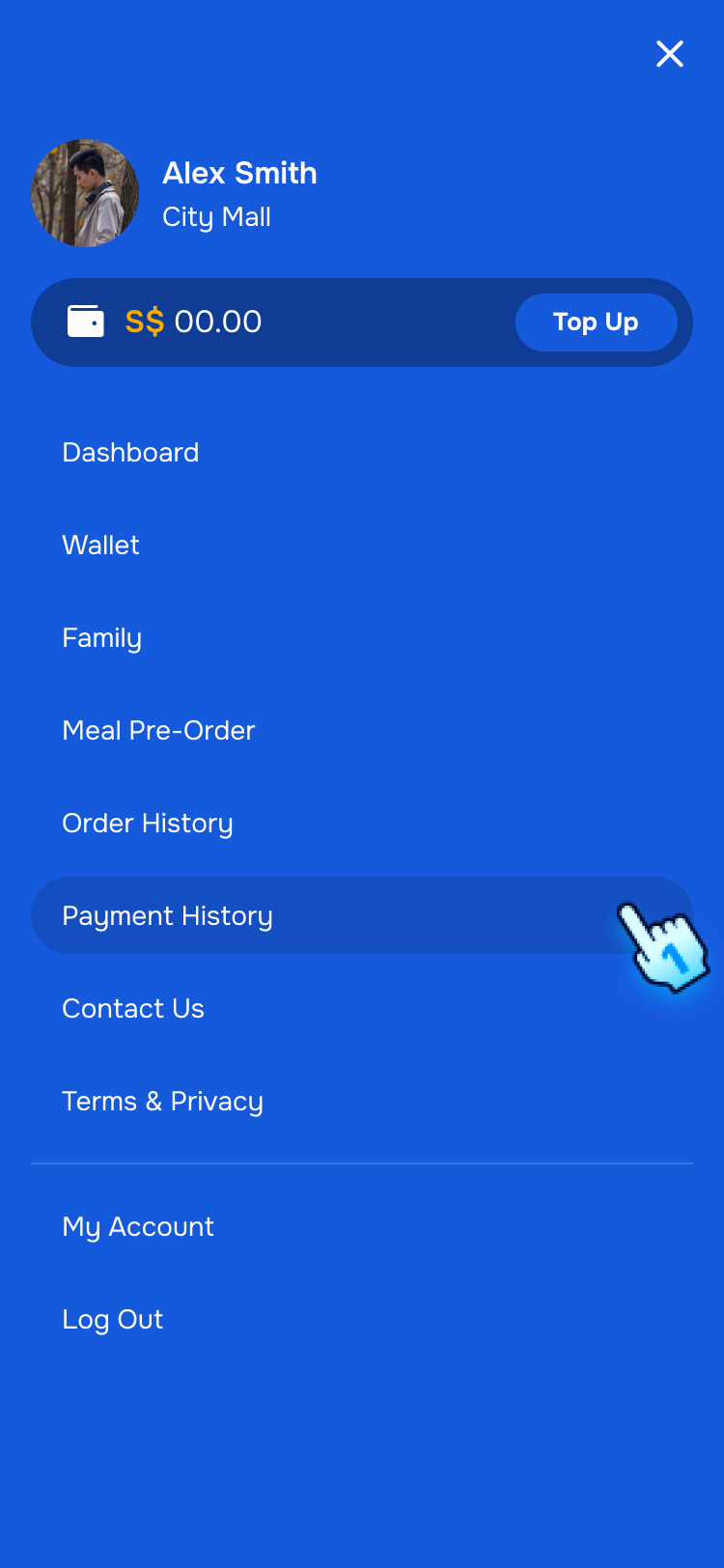
- Navigate to the Payment History section.
- Navigate to Payment History from Menu
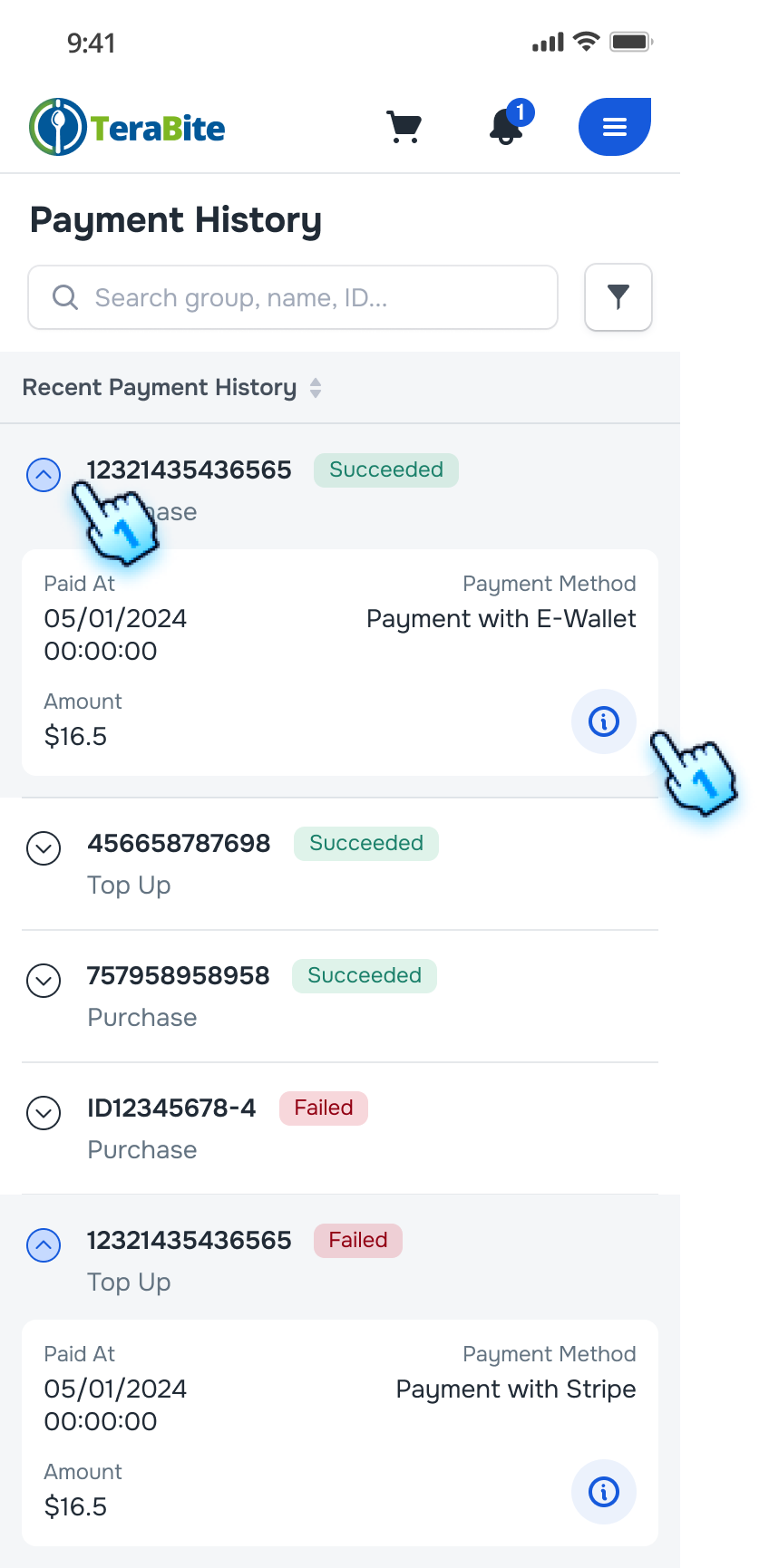
- A list of Payments will be displayed
- Tap on Expand/ Collapse button to view more payment information including order ID, status, Paid at, Amount, and payment method.
- Parent can view all family payments and top-ups.
- Member can view only transactions personally performed.
- View Payment Details
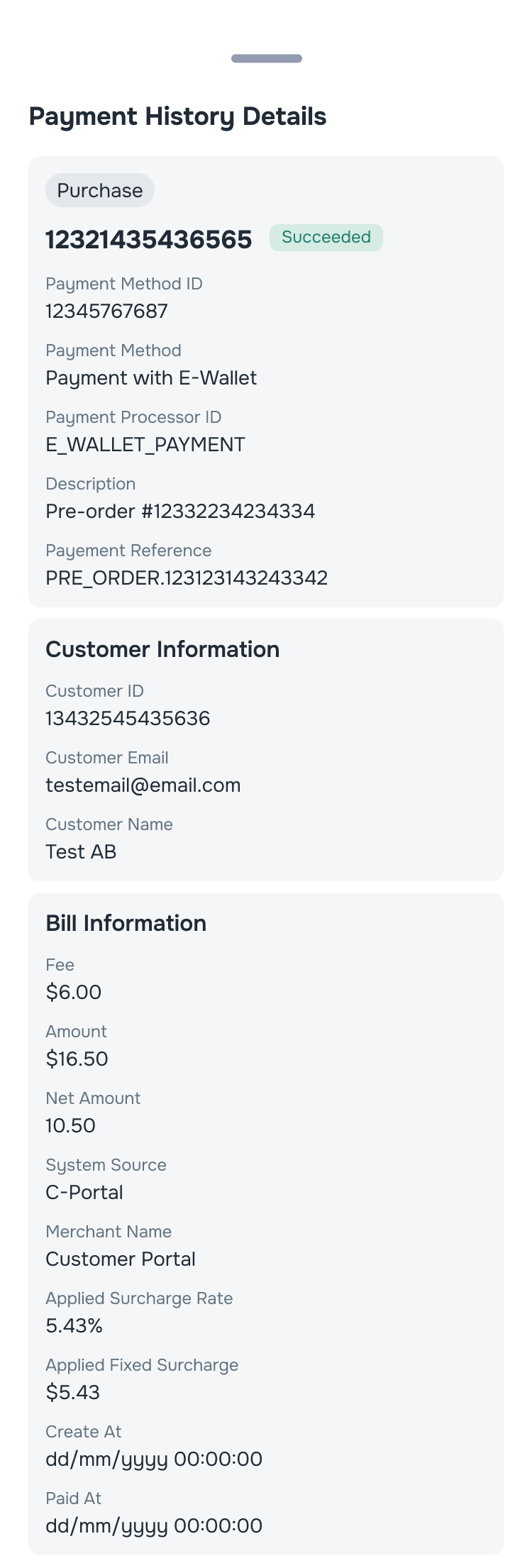
- Click the "i" button next to an order.
- The Payment details page will be displayed.
Filter Payments
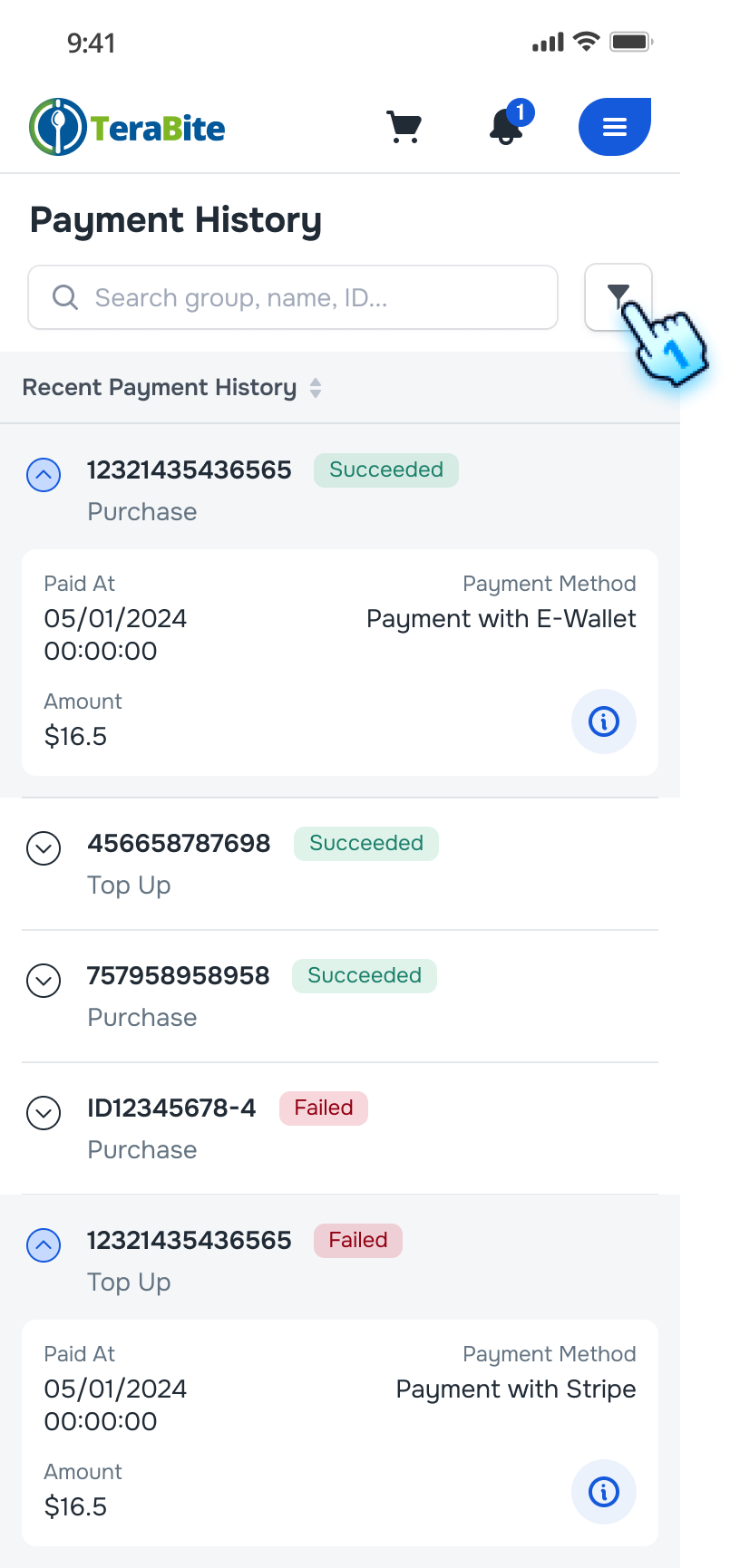
- Access to Filter setting
- Click the filter button on the Payment History page.
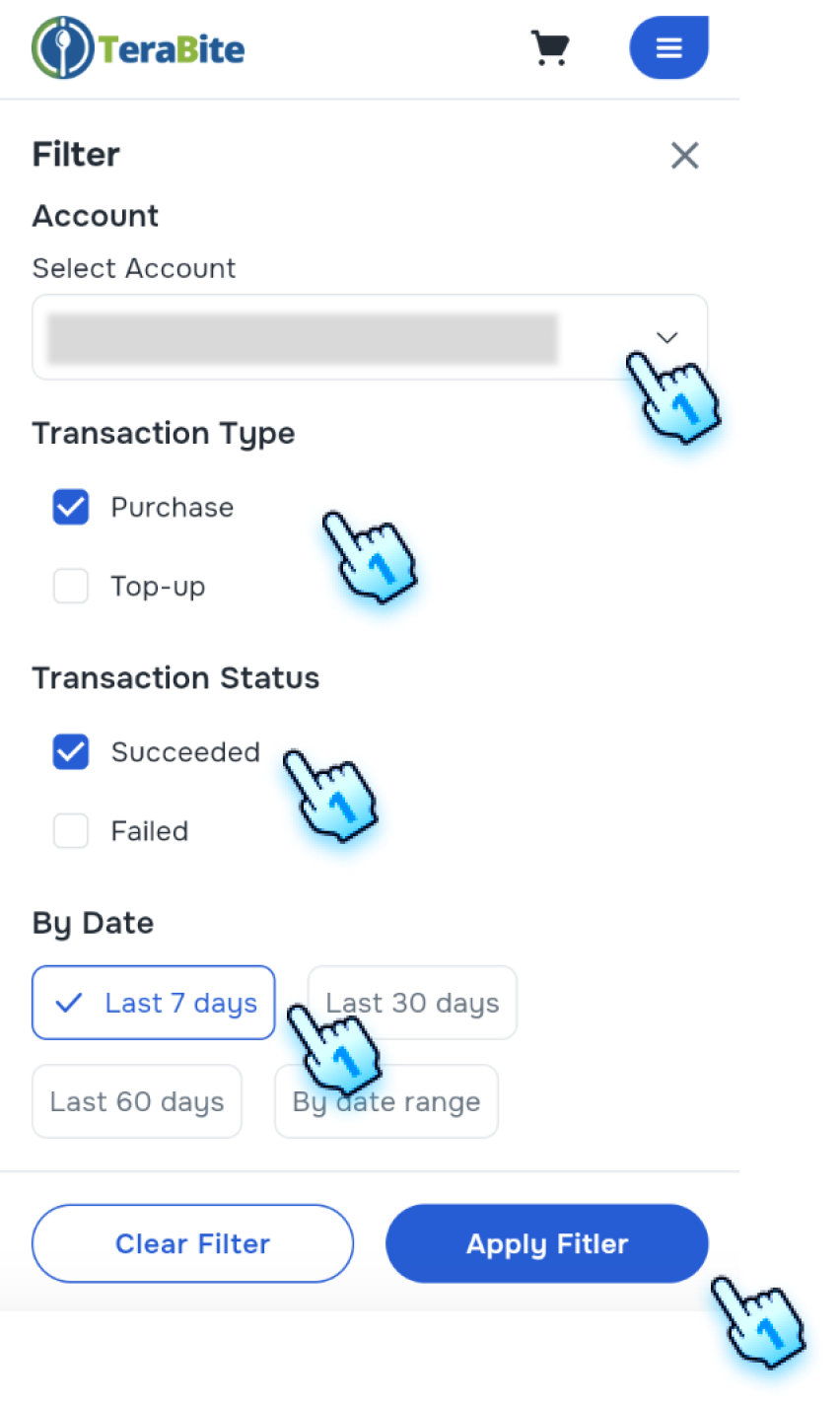
- Select Filter Criteria
- Select Account
- Select Transaction Type
- Select Transaction Status
- Select Date
- Parent can filter by Actor for family-level tracking.
- Apply filter
- Click "Apply Filter."
- The payment list will update to show orders according to the filter crieria.
Conclusion
The Payment History section provides transparent family-level tracking for Parents and privacy-scoped history for Members.