Topup
Description
This section provides guidelines for Family Concept wallet management using a shared Family Wallet model.
Top-Up Family Wallet
- Initiate Top-Up
- Log in to the C-Portal.
- User can top-up via three ways:
- Directly Top-up from menu.
- Navigate to the Wallet Management section from menu.
- Navigate to the Family Management section from menu.
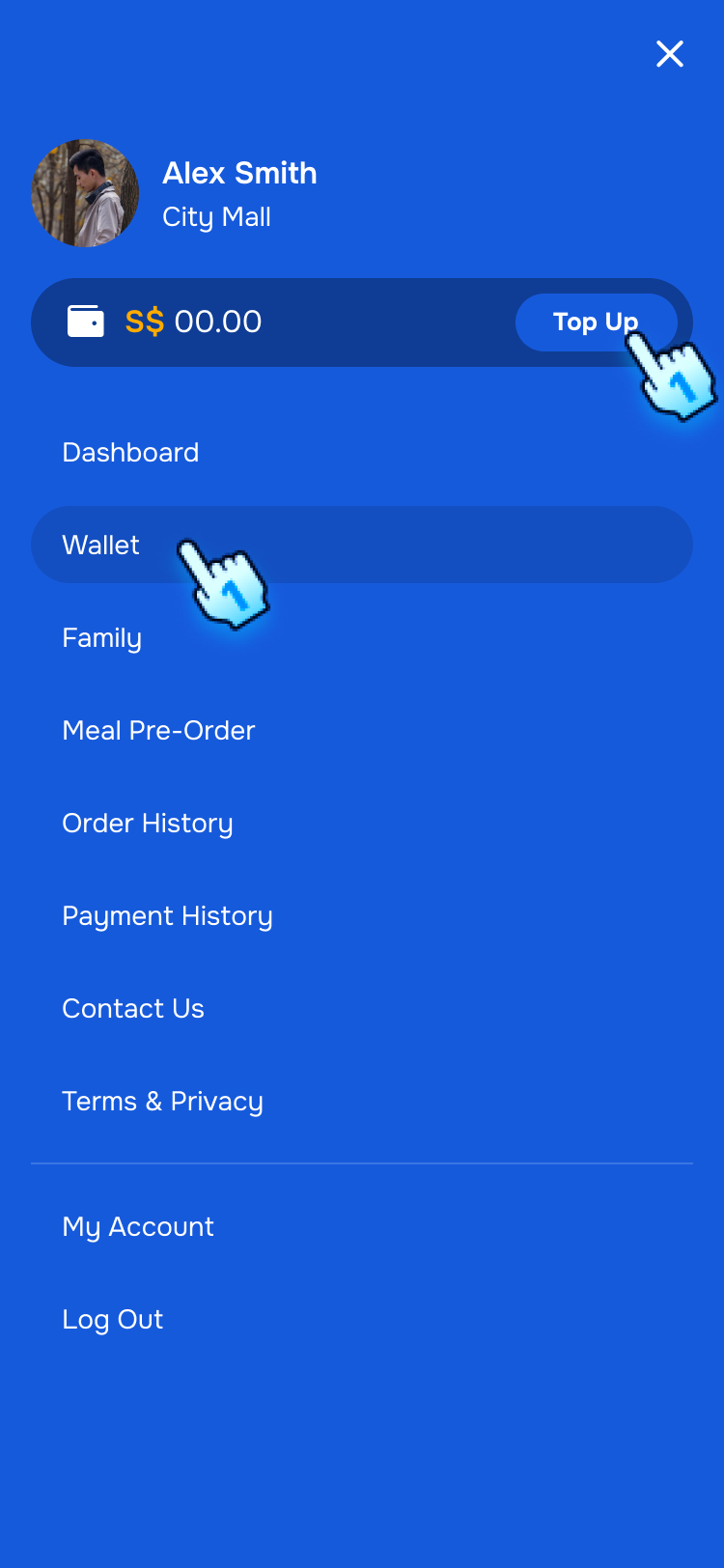
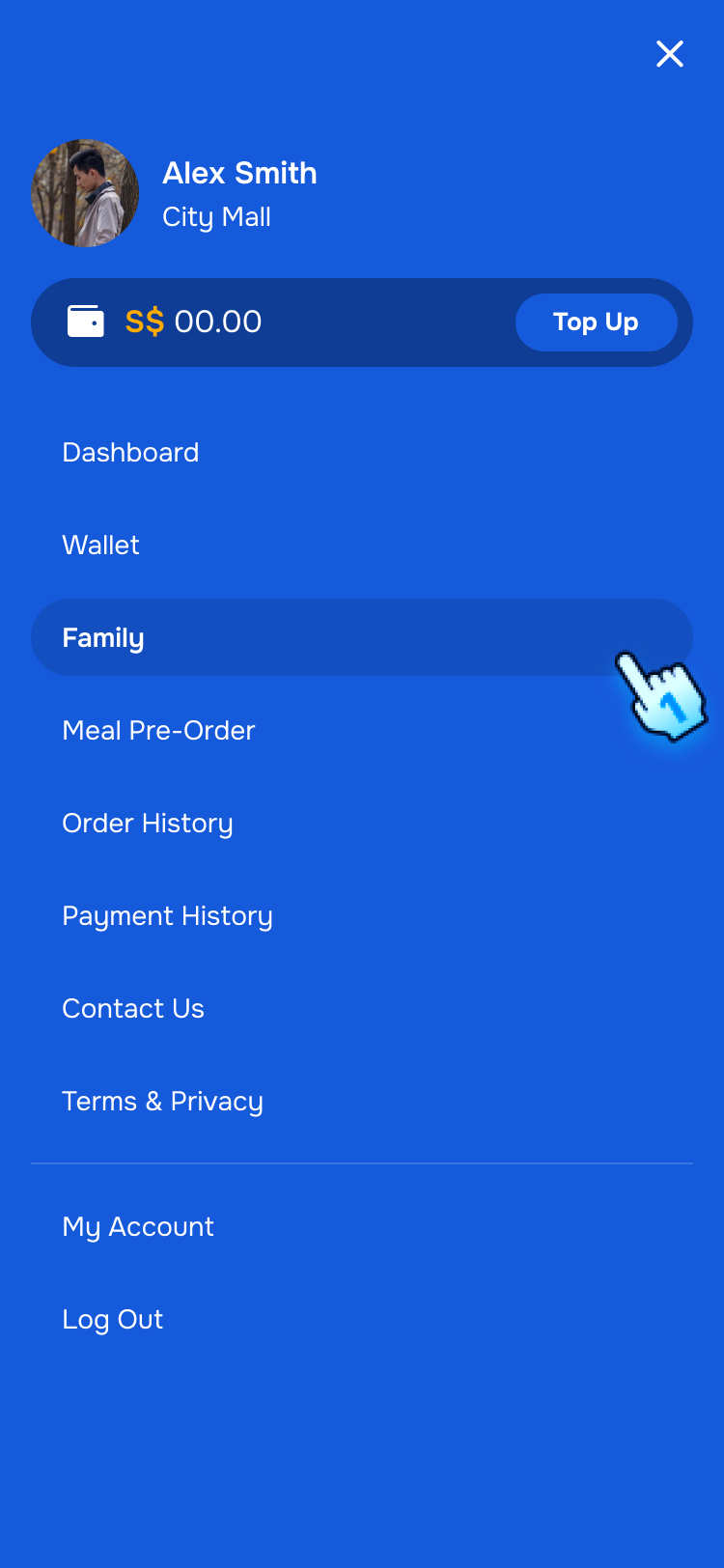
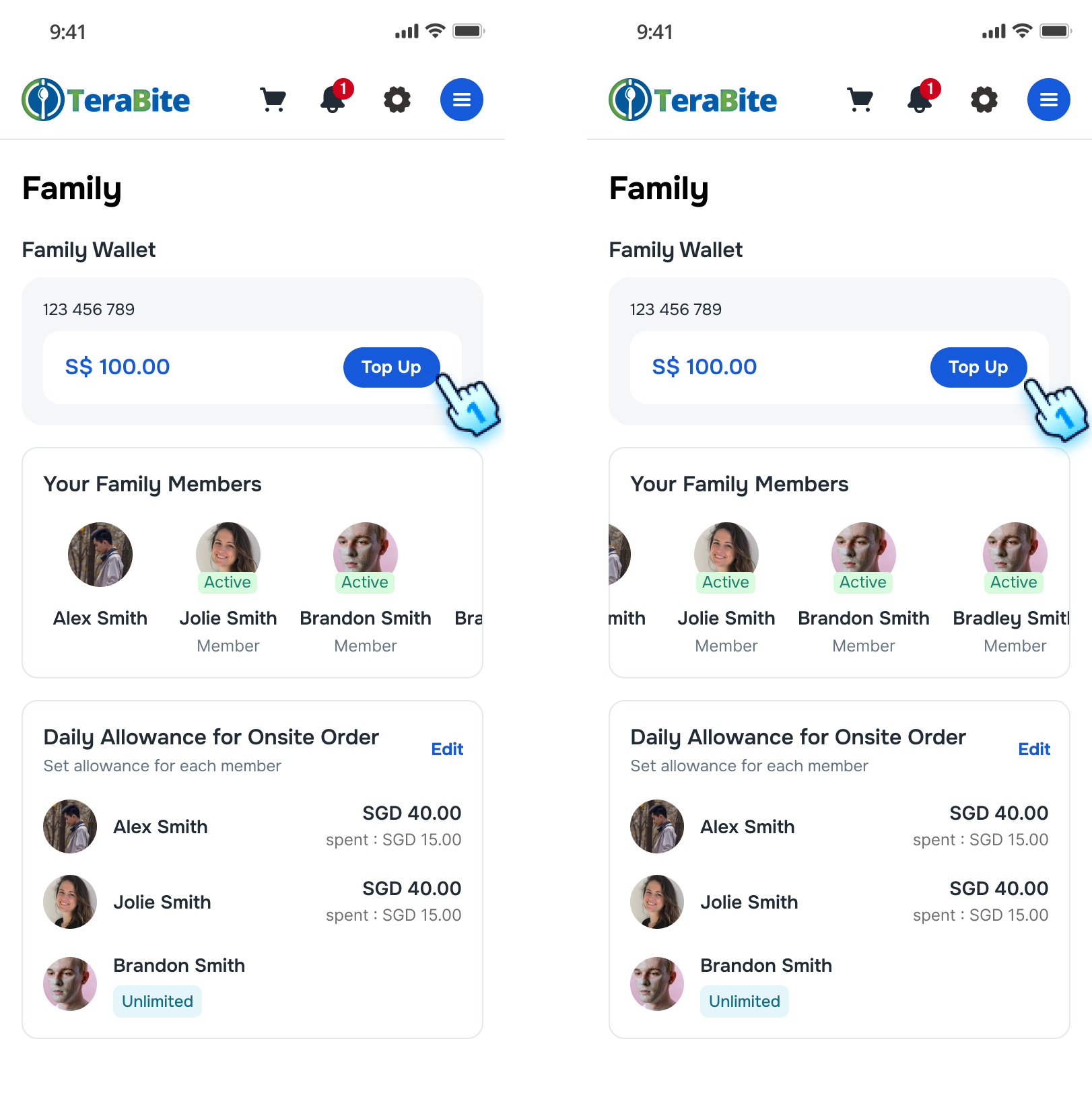
- Tap "Top-Up" button.
- The top-up options will be displayed in both Wallet Management section and Family Management section.
- Family Wallet is the shared balance pool used by all linked members.
- Parent and Member can top up Family Wallet.
Note: If account has no familyCode, Family Wallet view is empty and top-up button is disabled.
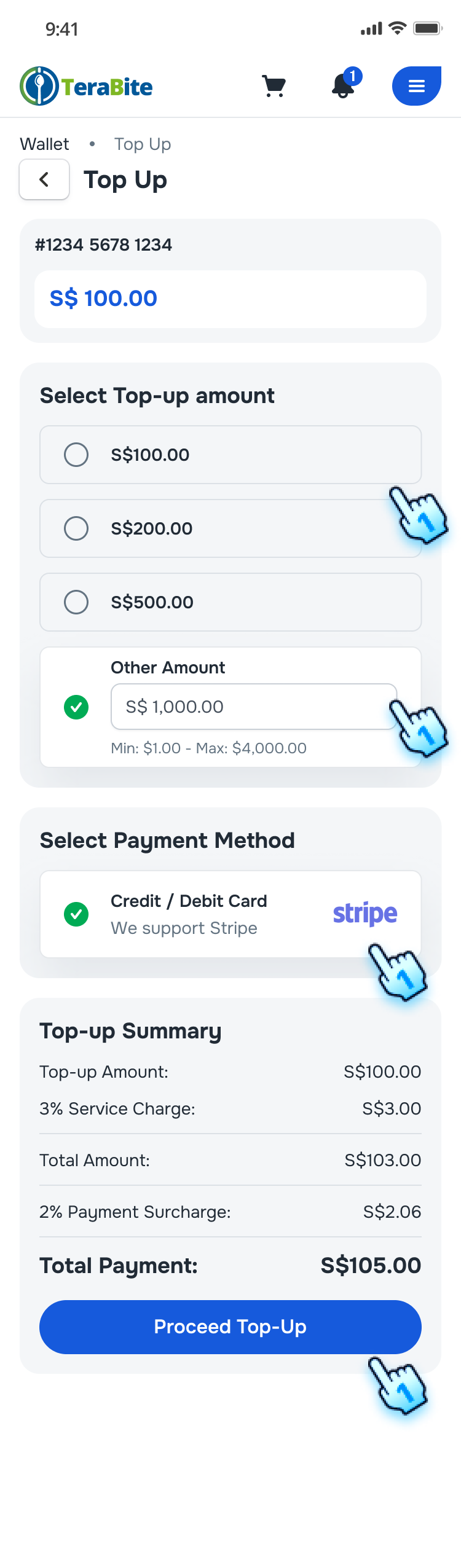
- Select Amount
- Choose a set amount or enter a custom amount.
- The selected amount will be highlighted.
- The top-up summary will display the top-up amount, total amount, transaction fees, and total payment.
- Select Payment Method
- Choose a payment method (e.g., credit/debit card).
- Proceed Top-Up
- Click the "Proceed Top-Up" button.
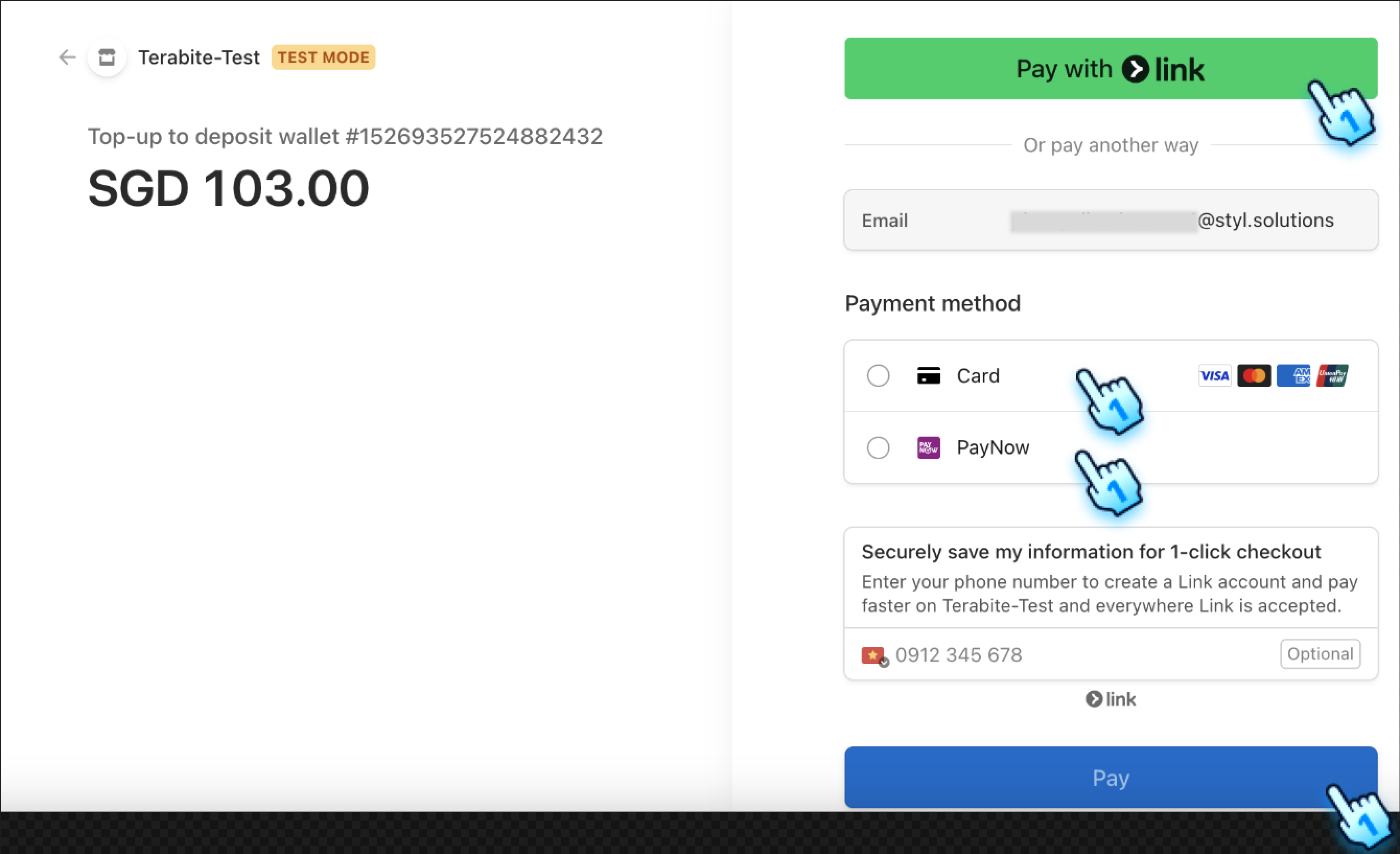
- Follow the instructions for the selected payment method.
- A confirmation message will indicate that the top-up was successful.
- Top-up actor is logged for audit and transparency.
View Transaction History
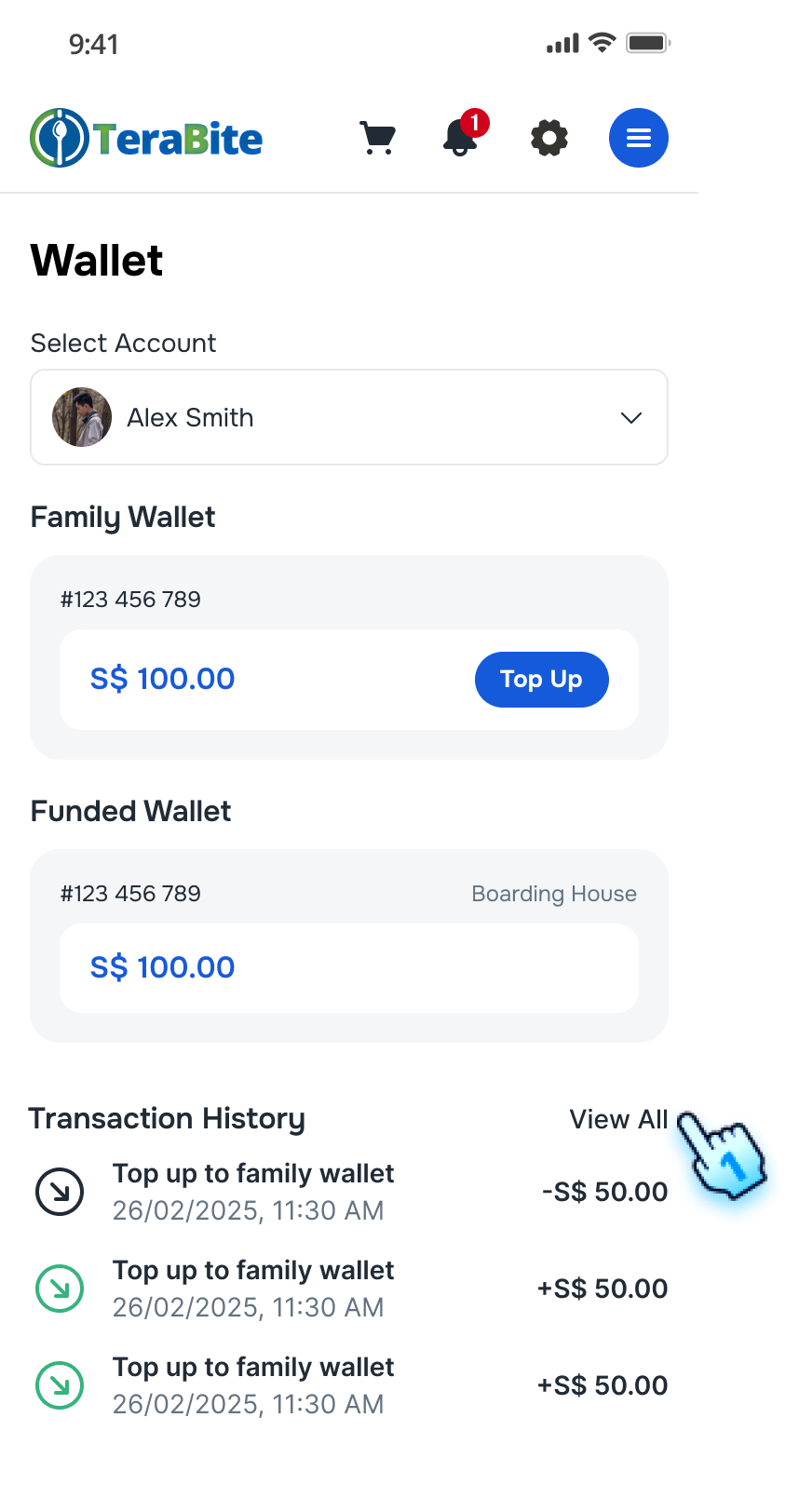
- Access Transaction History
- Navigate to the Wallet section to view the latest 4 transactions.
- Tap on "View All" button to redirect to Wallet transaction list
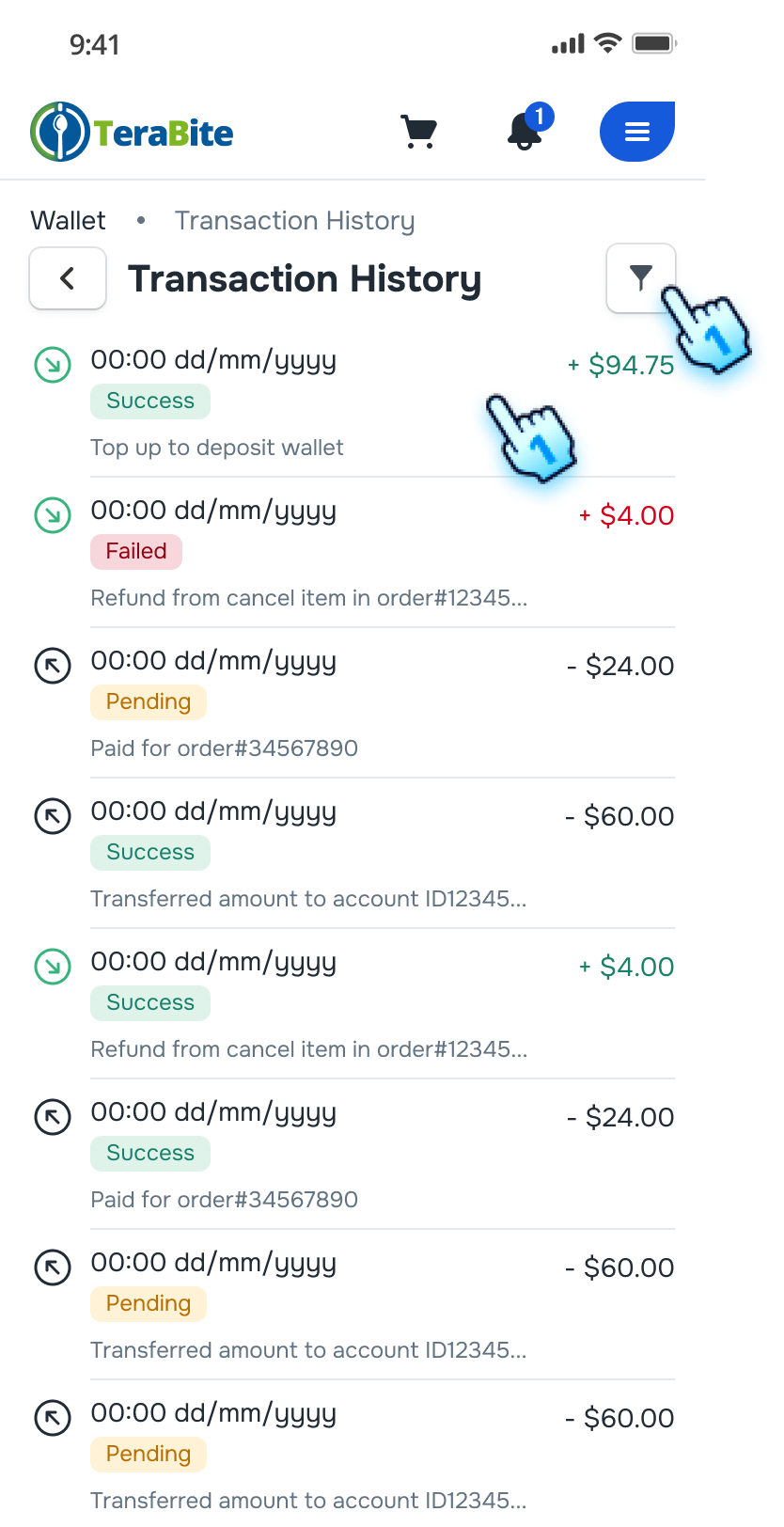
- View and Filter from the list.
- Click on each transaction to view details. Go to Step 3.
- Filter the list by criteria (Eg. Transaction Type, Transaction Category etc. ). Go to Step 4.
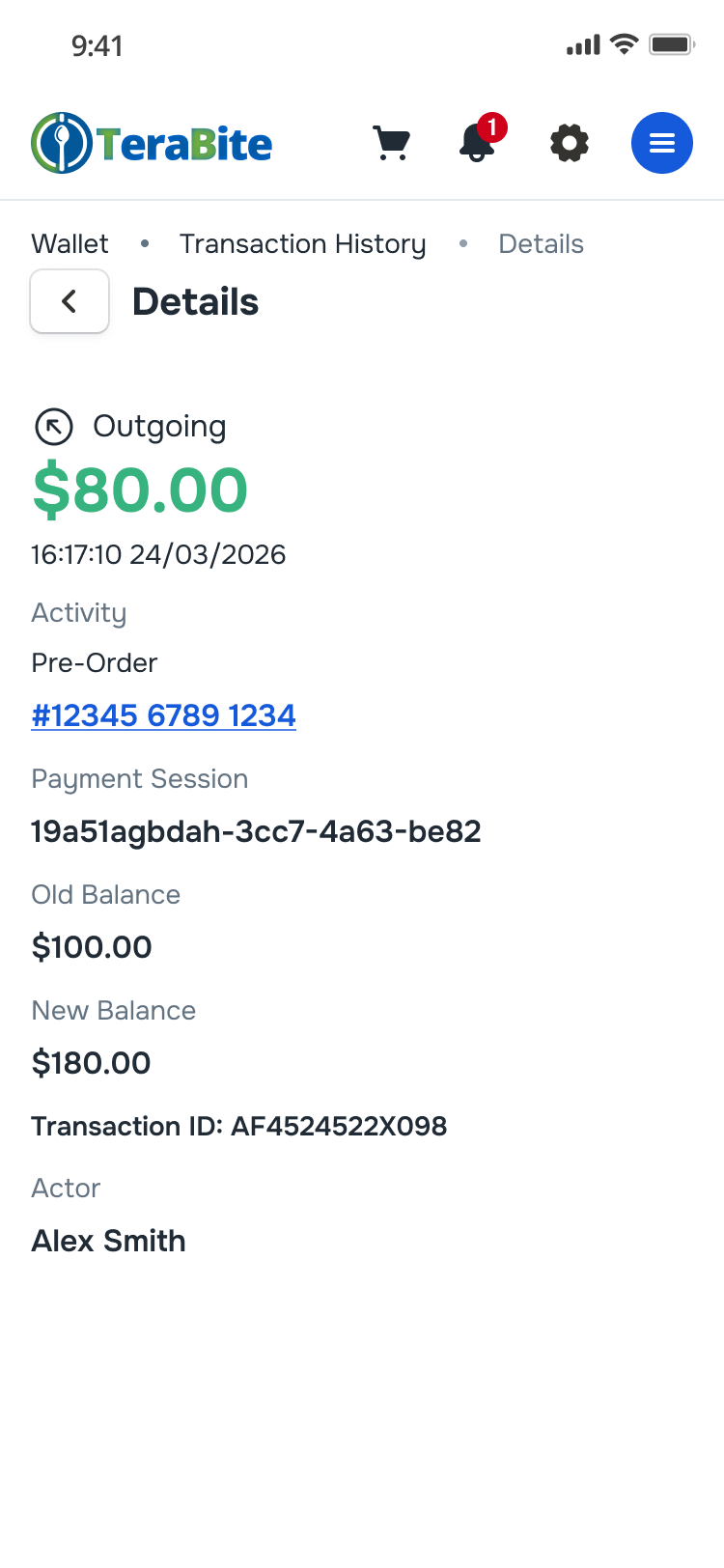
- View transaction details
- Click on each transaction
- Transaction Detail is displayed
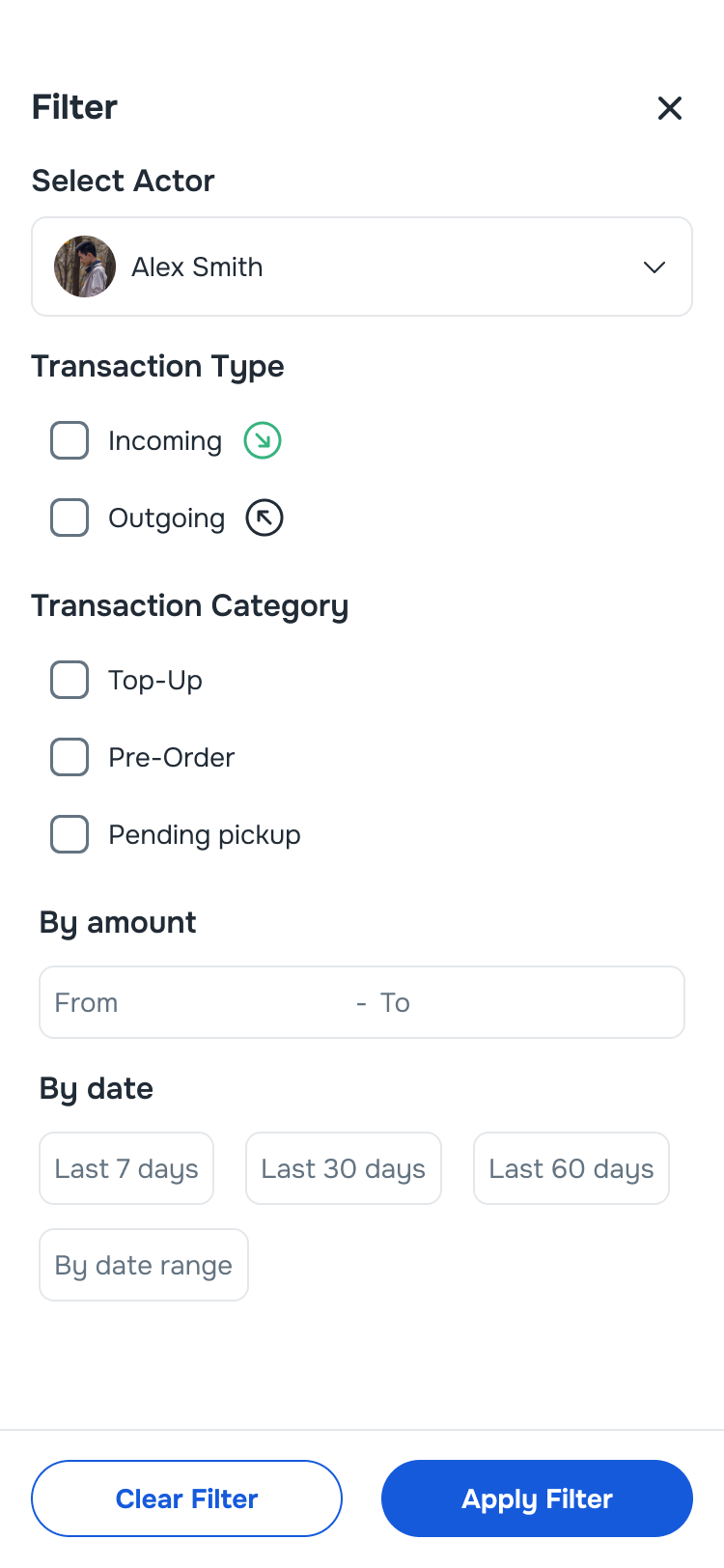
- Filter Transaction History
- Tap on Filter icon
- Select filter criteria including Transaction Type, Transaction Category, By Amount and By Date
- Tap "Apply Filter" to process
Conclusion
The Wallet section provides Family Concept guidance for a single shared wallet pool, universal top-up, role-based transfer behavior, and daily allowance setup.