Wallet Transfer
Description
This document outlines the procedures for transferring wallet deposits between users in a family.
How to do the transfer?
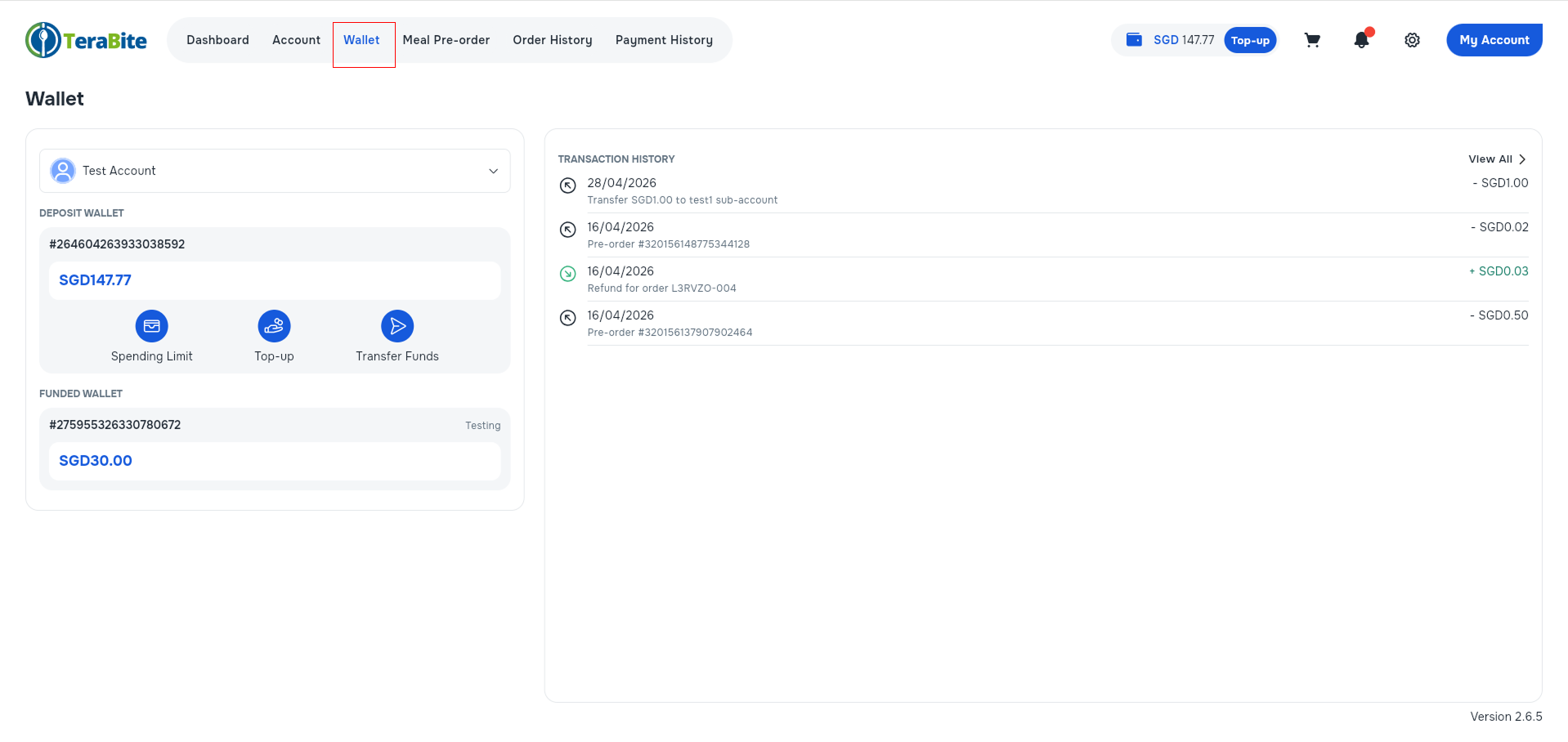
- Access to Wallet
- Open the Wallet section.
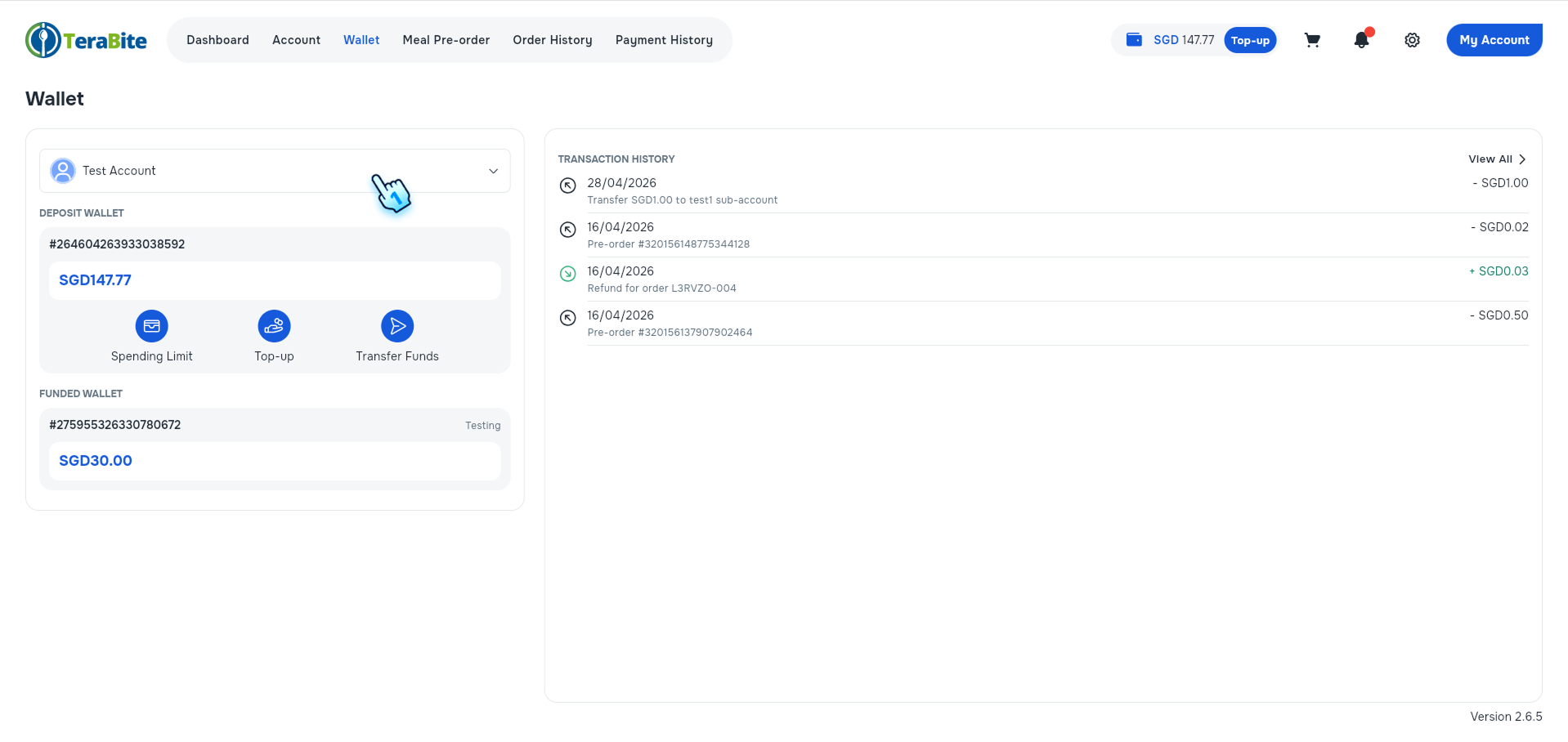
- Select an account to transfer to another account.
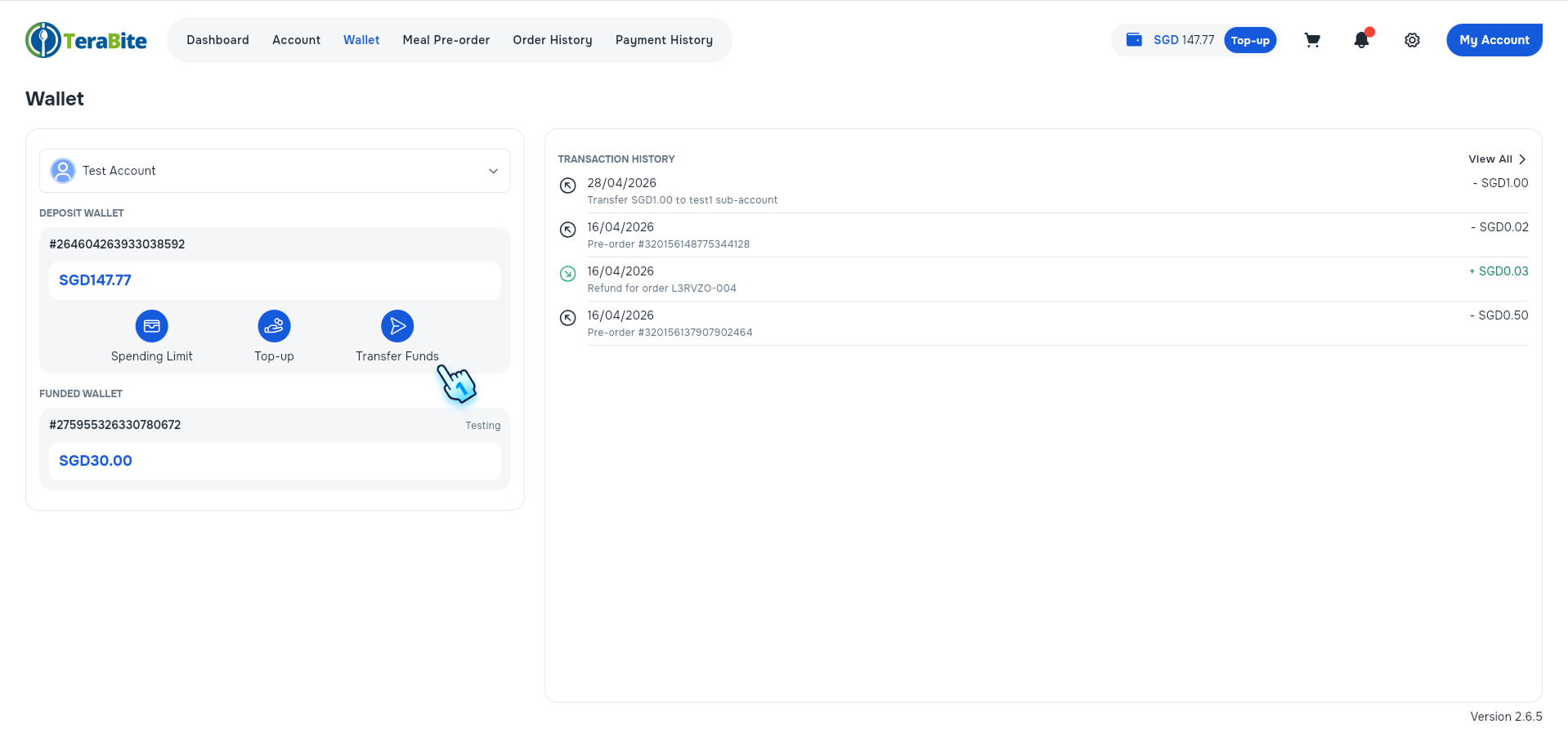
- Select "Transfer Funds" button.
- The "Transfer Funds" button is viewable in the Wallet section or on the Dashboard page.

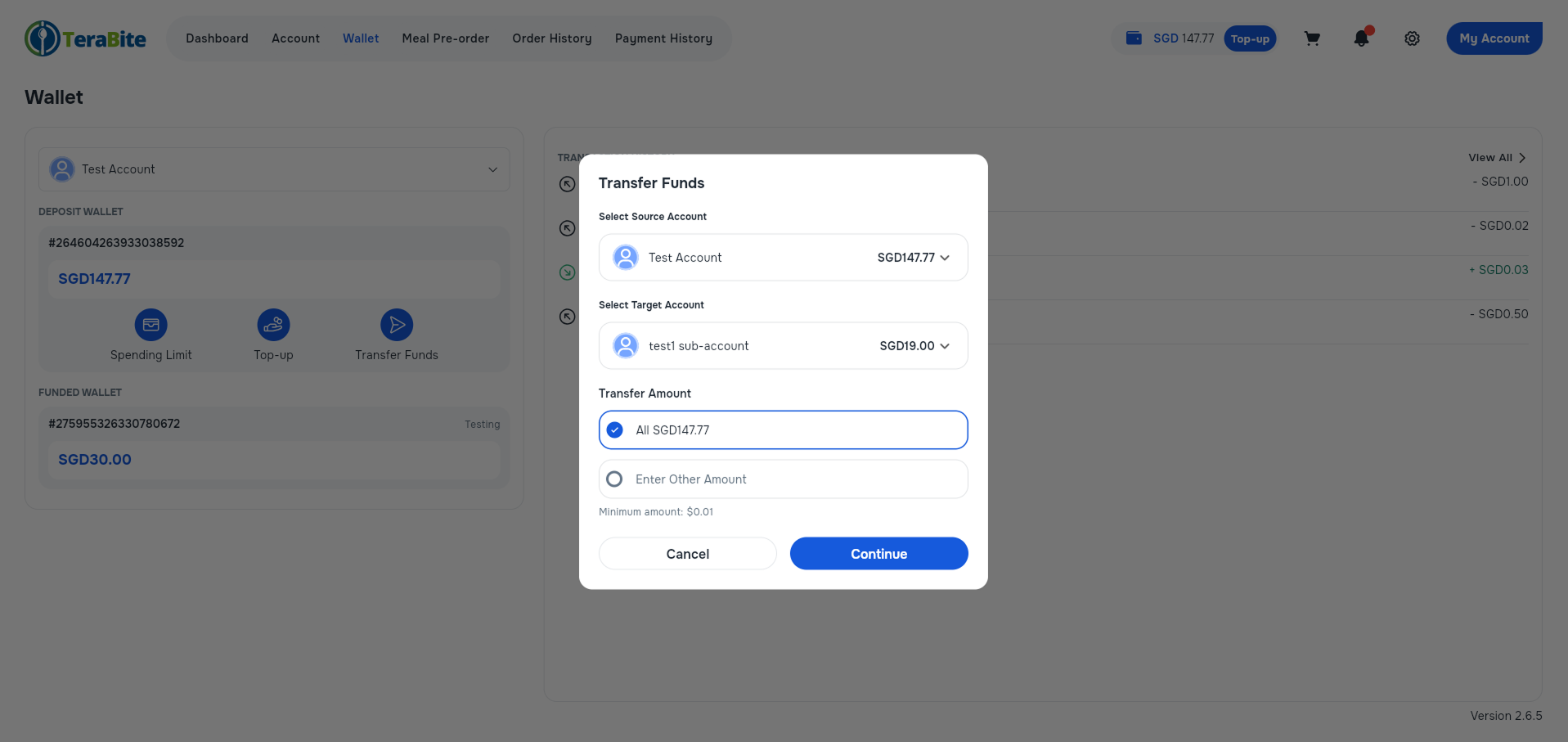
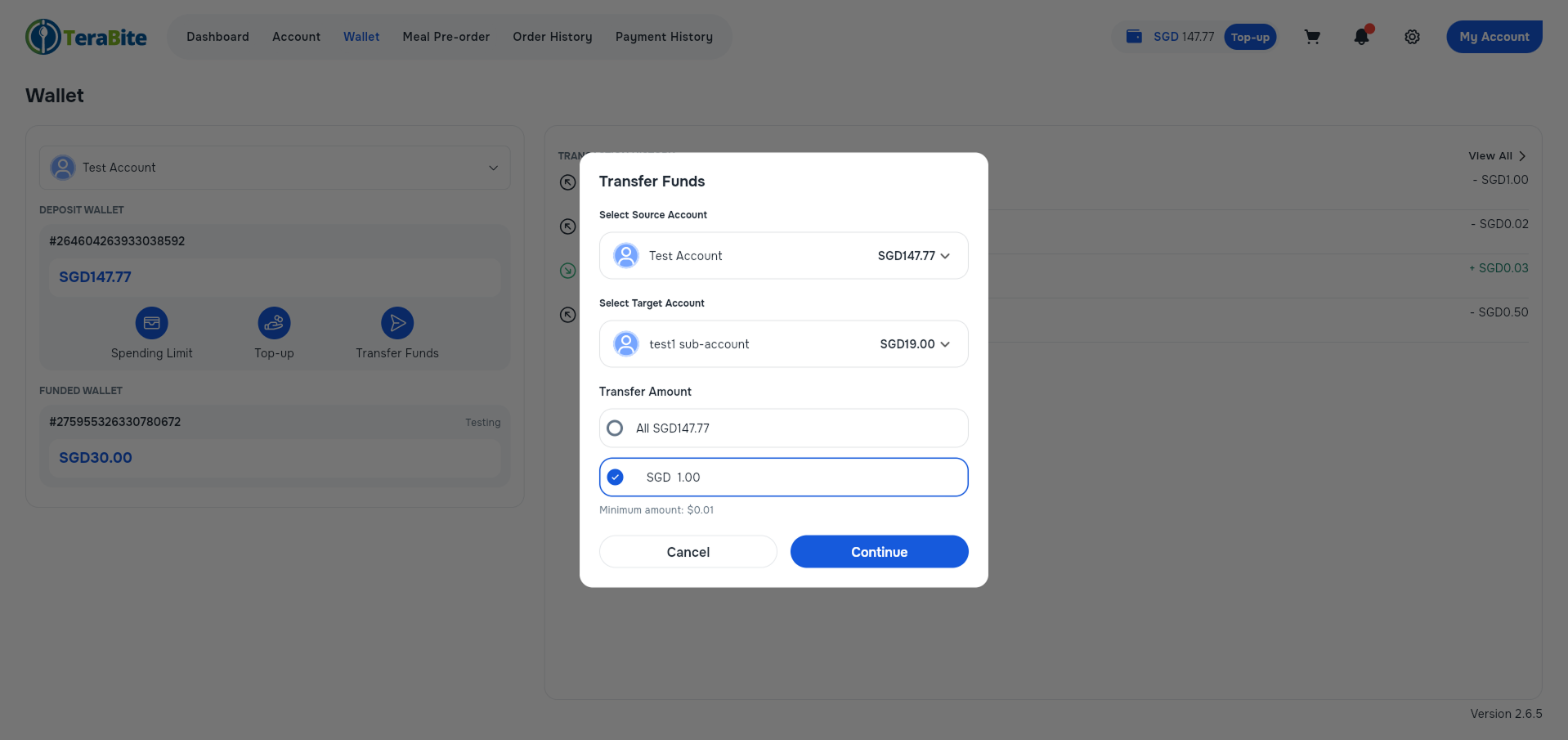
- Select the source account and the target account, and enter the amount to transfer.
- Able to select any accounts to be the source account, as well as the target account.
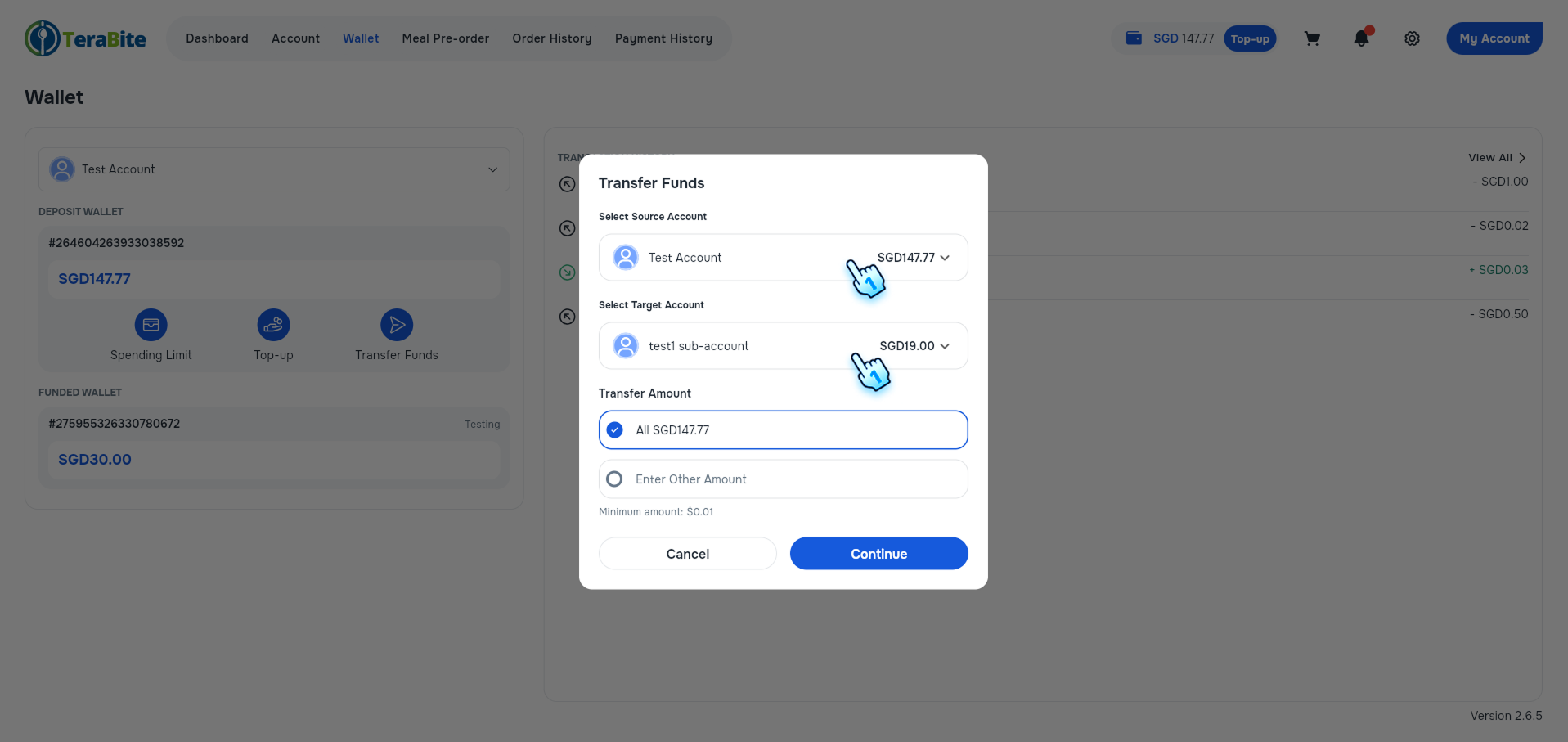
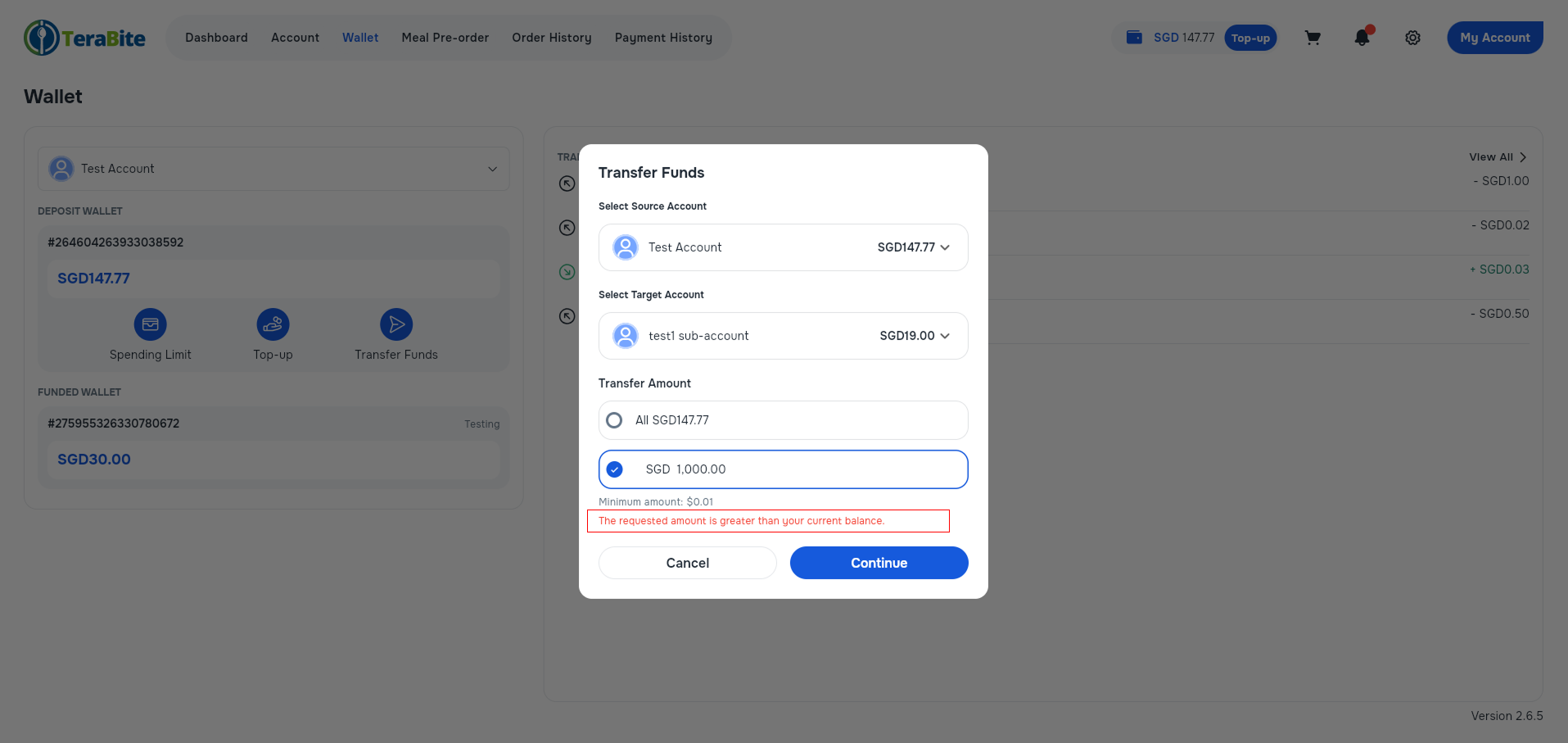
- Able to select to transfer all the deposit amount of the source account, or another amount. If the amount is larger than the current deposit, an error message will be displayed.
- Select Continue.
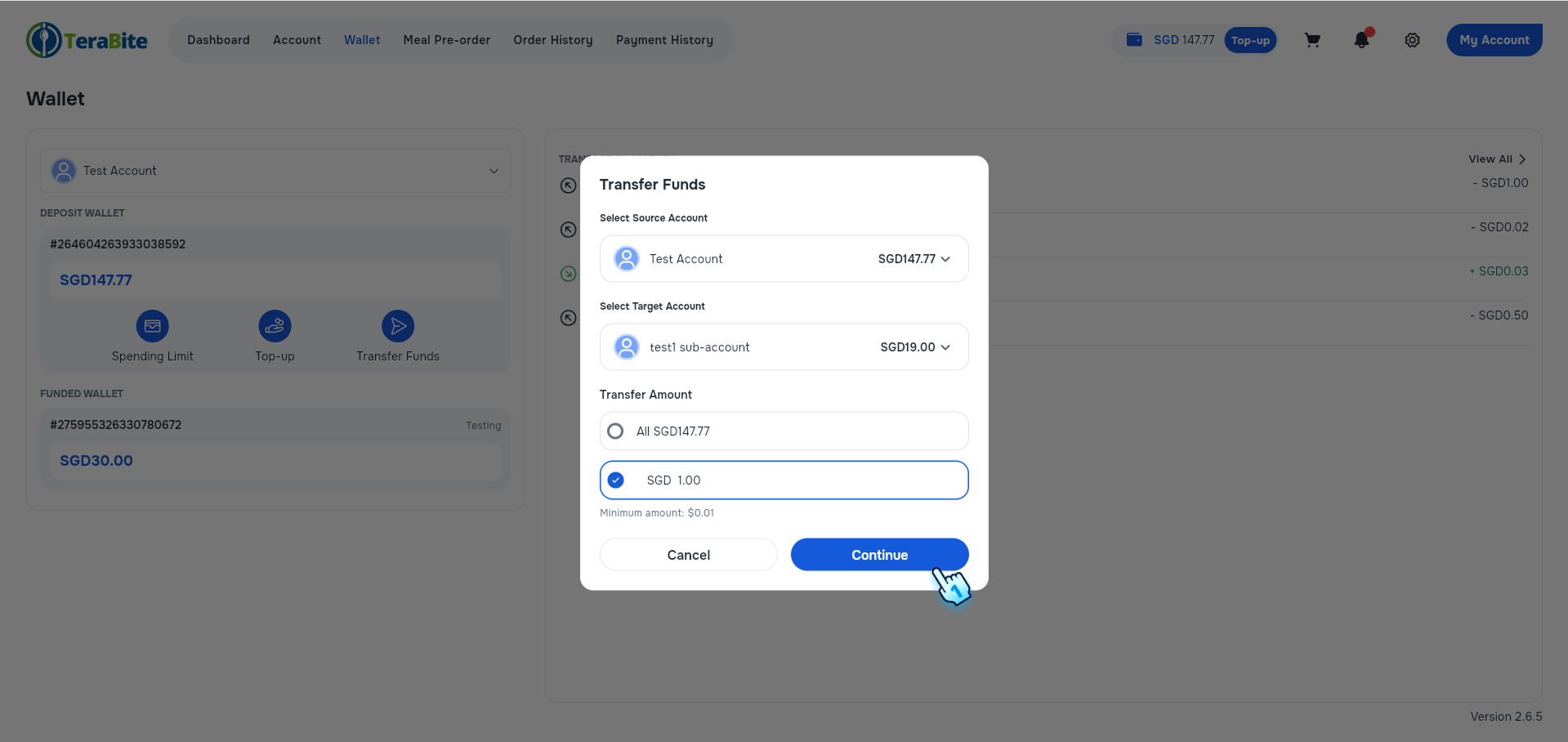
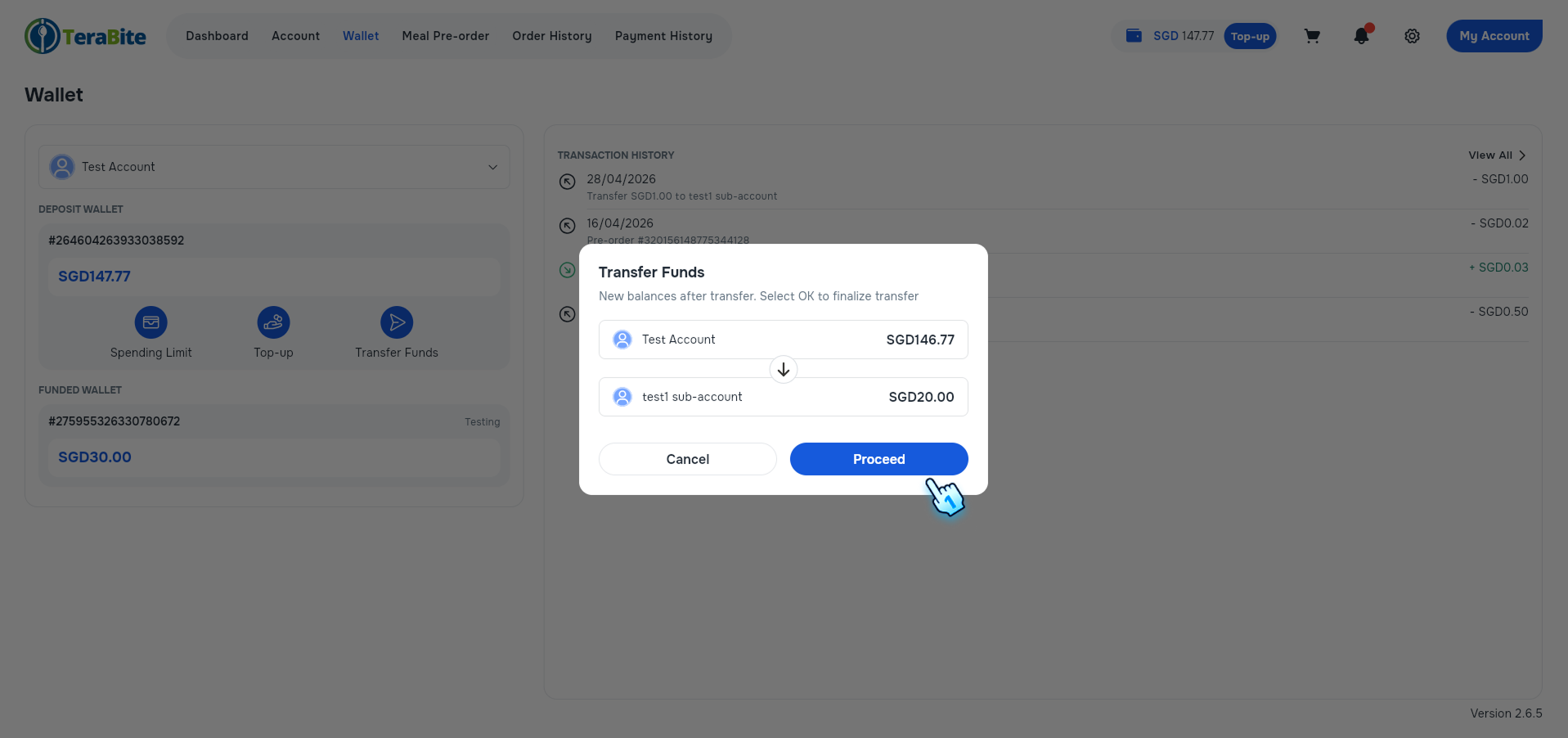
- Review the new deposit of the source and target accounts, and confirm to Proceed with the transfer.
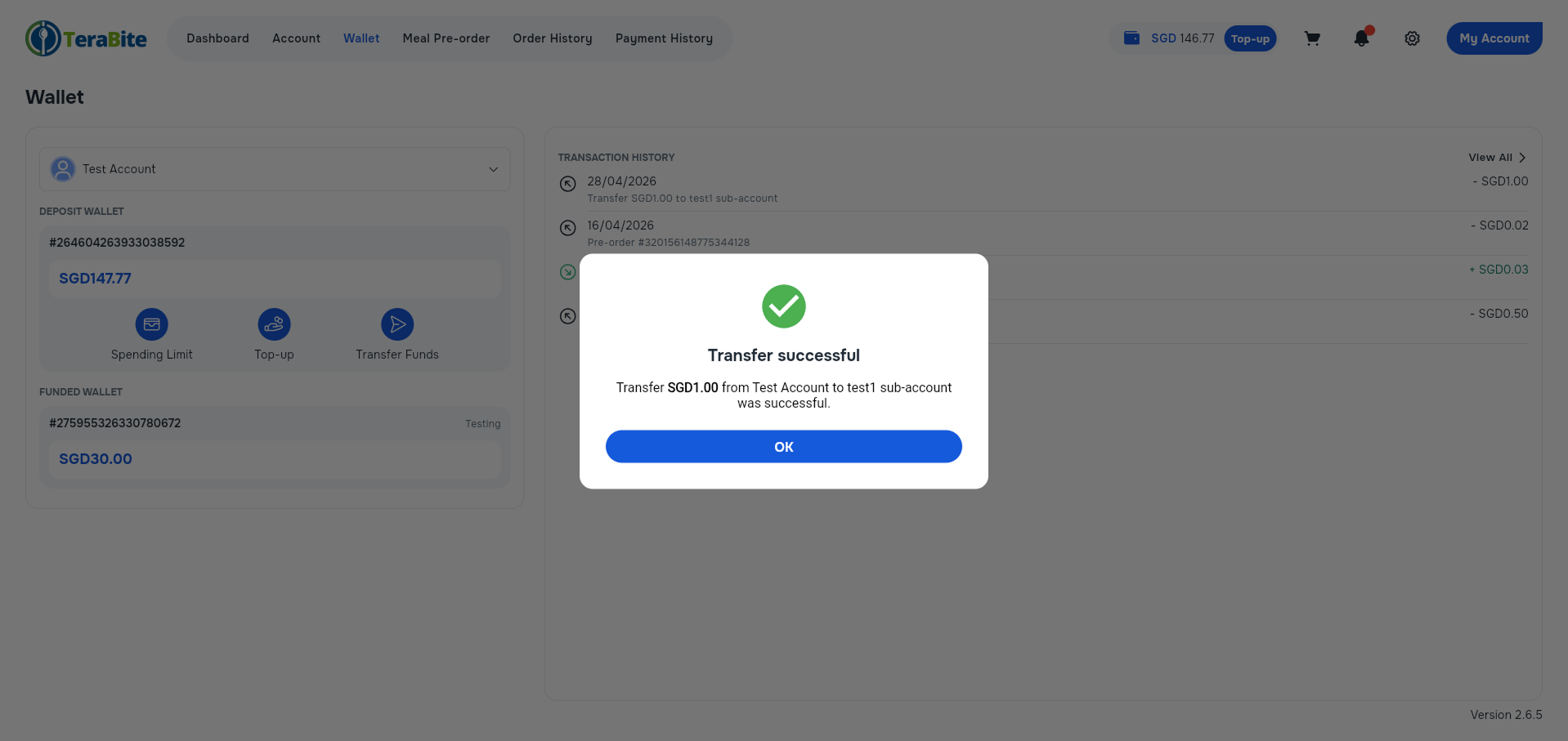
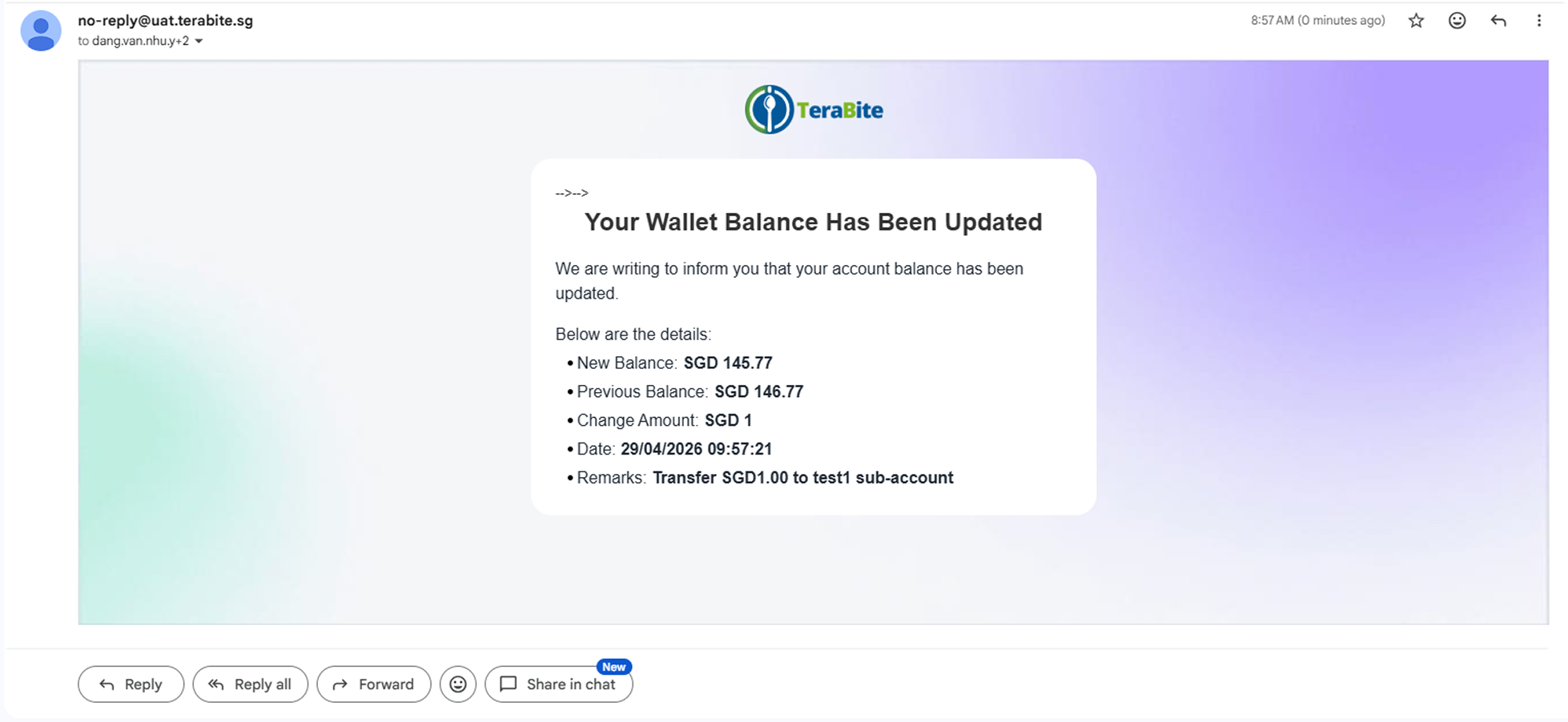
- View the transaction notification in the mailbox.
- Mail notification for the source account.
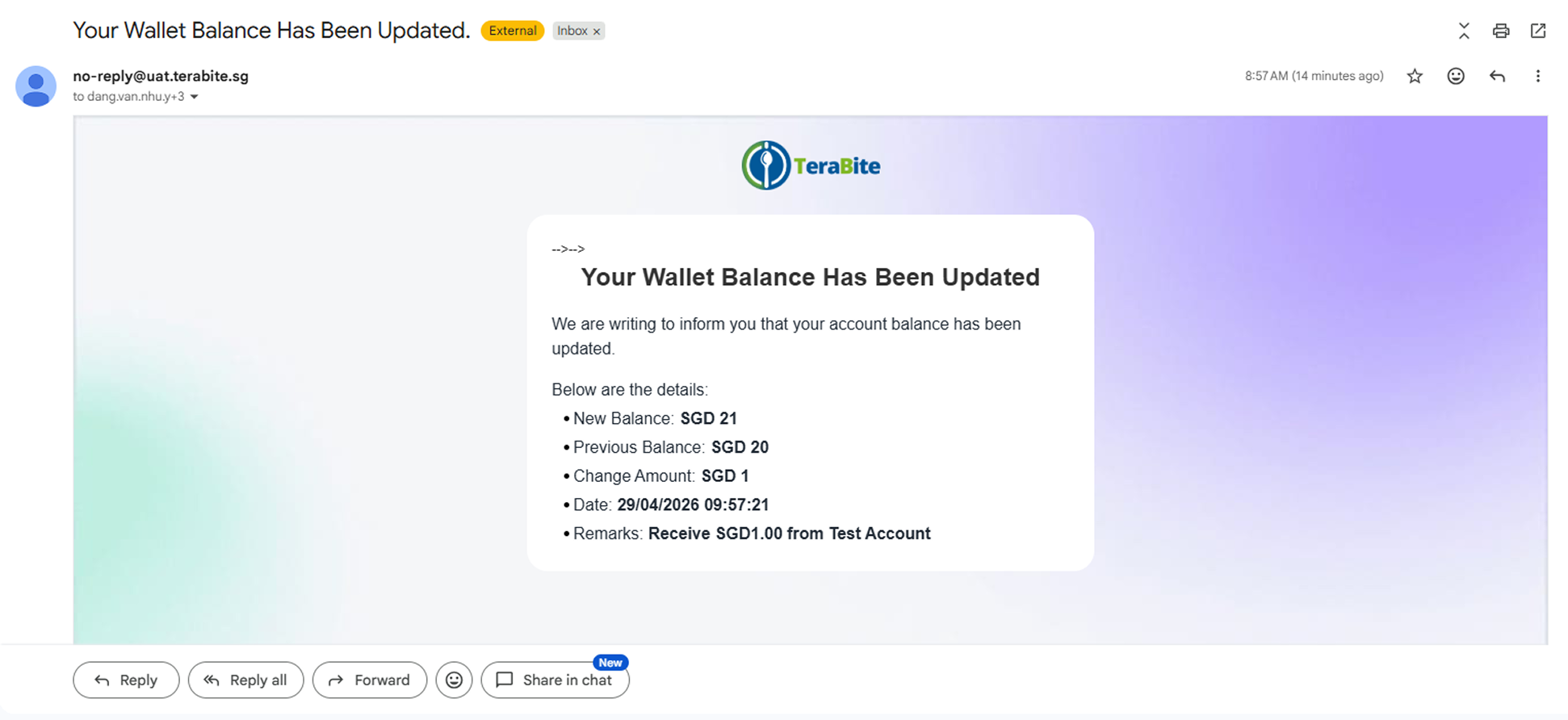
- Mail notification for the target account.
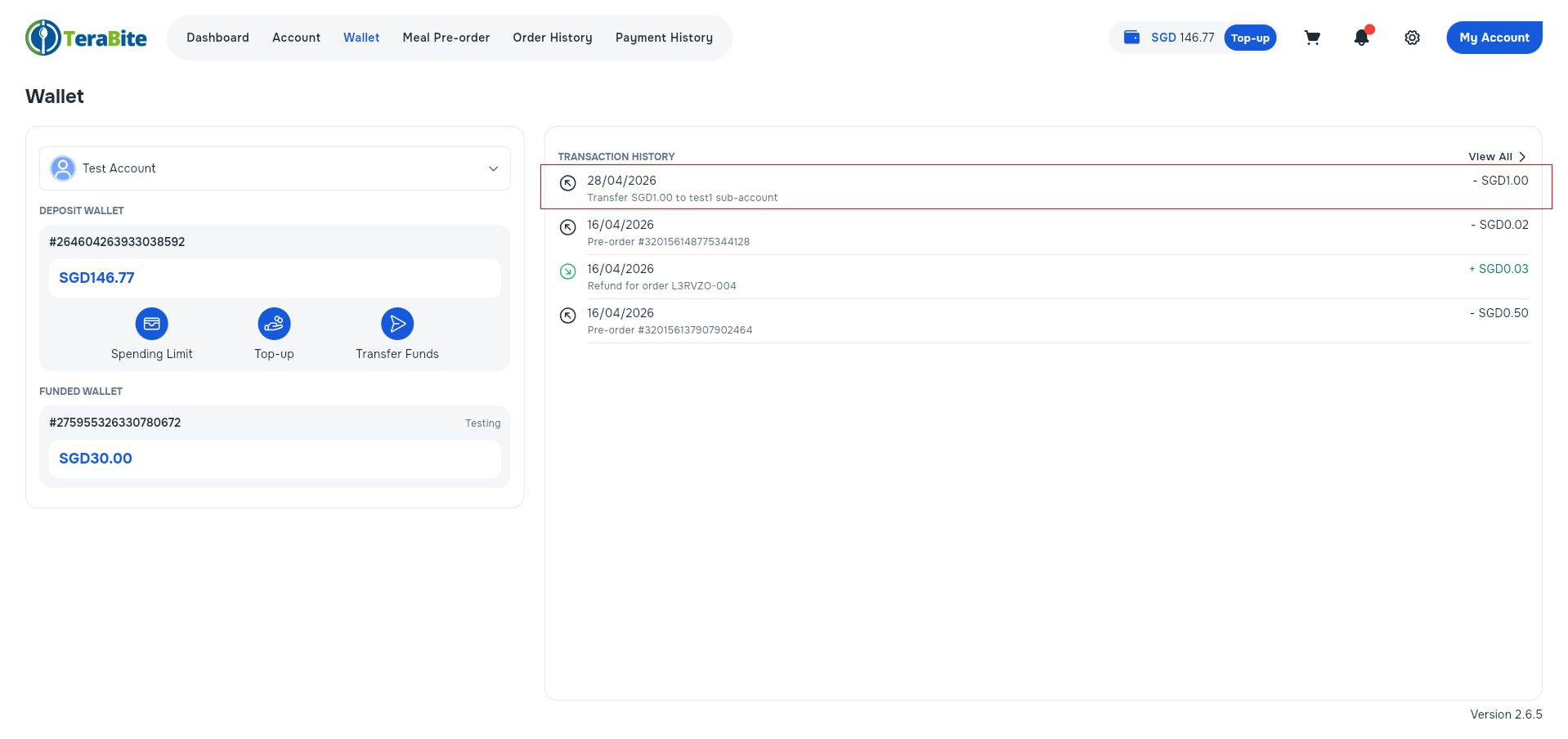
- View the transaction in the Transaction History.
Note
-
Only the main account can do the transfer.
-
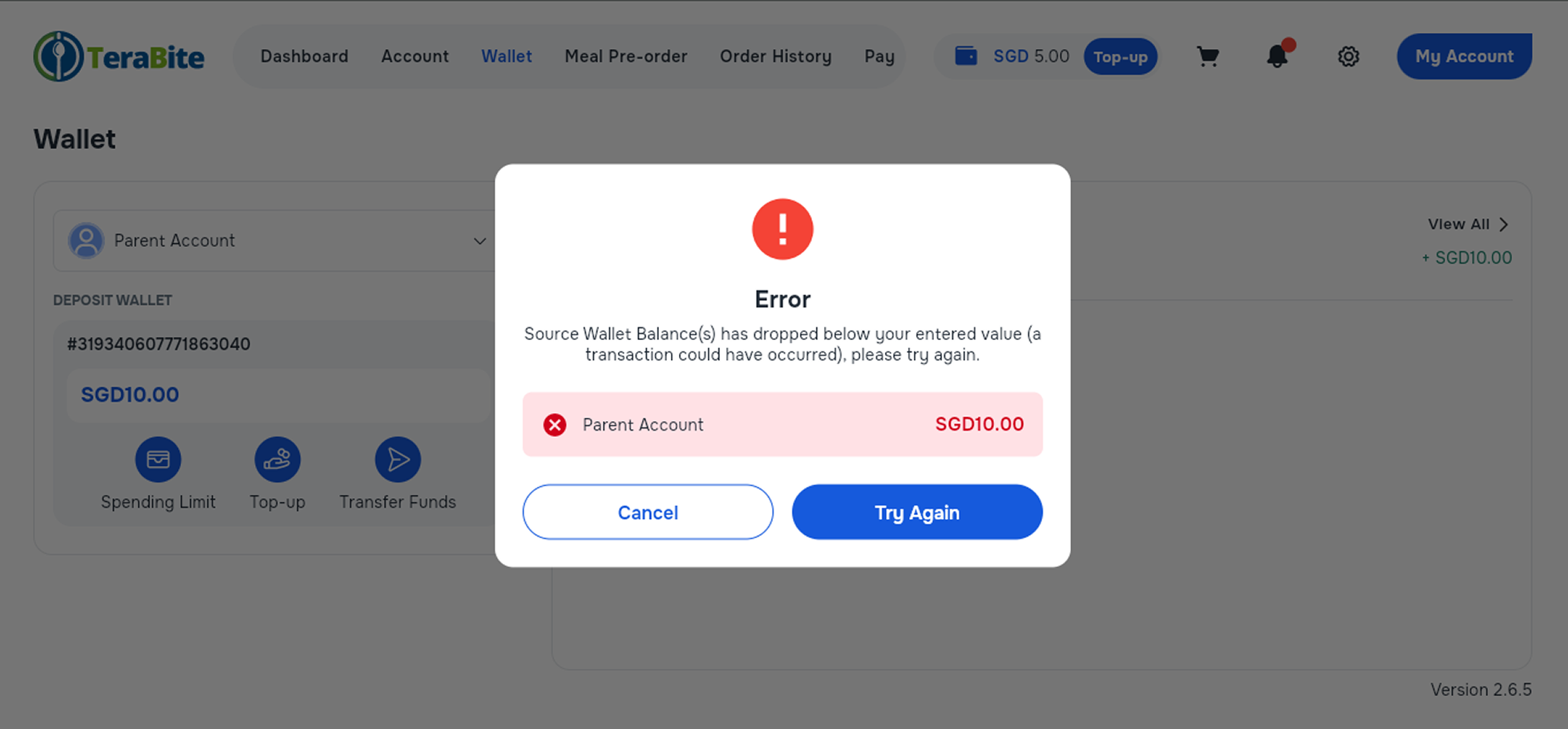
If the source account's balance drops below the entered value, an error will be displayed to stop the transfer transaction. The customer then has to try again with another value.
Conclusion
This manual provides a comprehensive guide to transferring wallet deposits between the main account and a sub-account in the Terabite Customer Portal. By following these steps, users can effectively manage their funds and ensure smooth financial transactions within the Customer Portal.