Payment History
Description
This section outlines the procedures for viewing and managing payment history, including filtering payment
View Order History
- Access Payment History
- Log in to the C-Portal.
- Navigate to the Order History section.
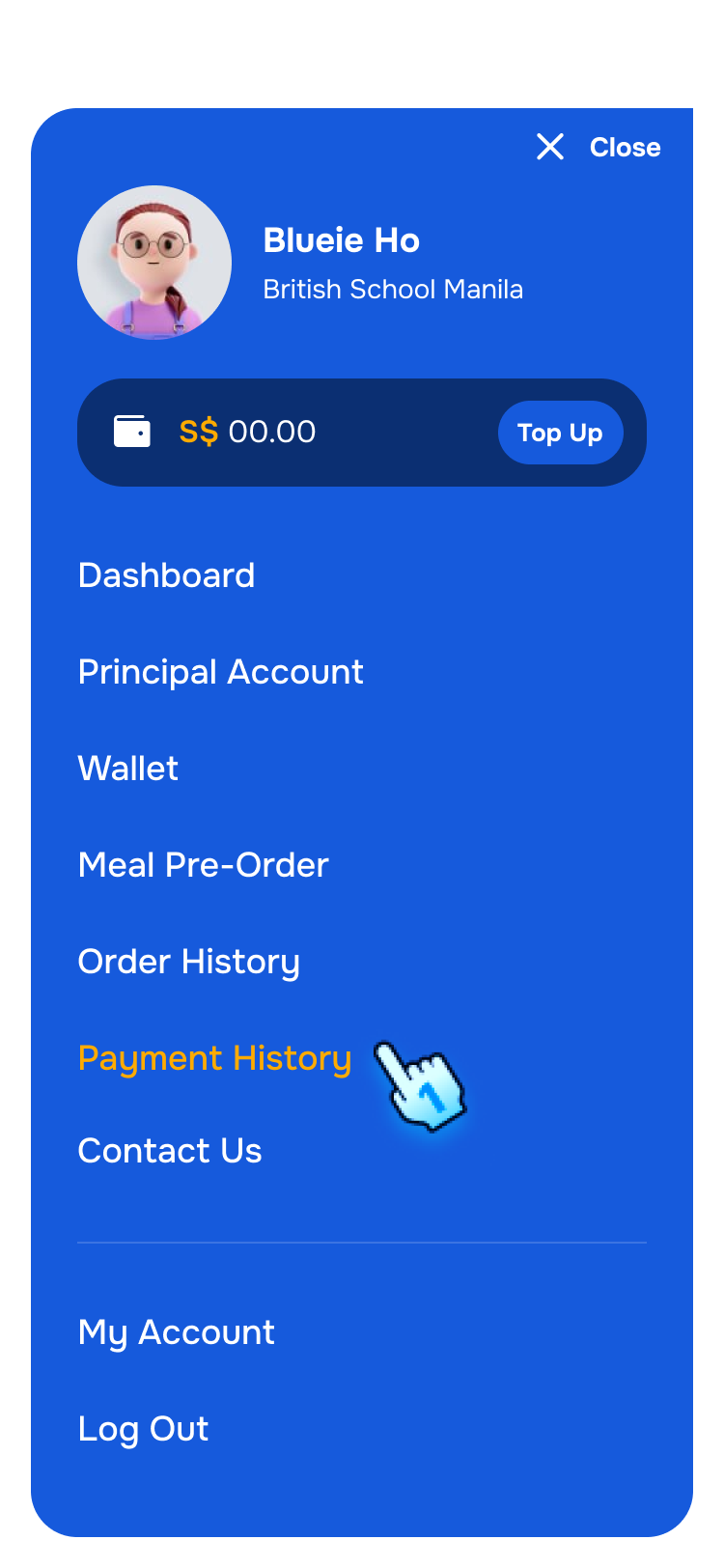
- Navigate to Payment History from Menu
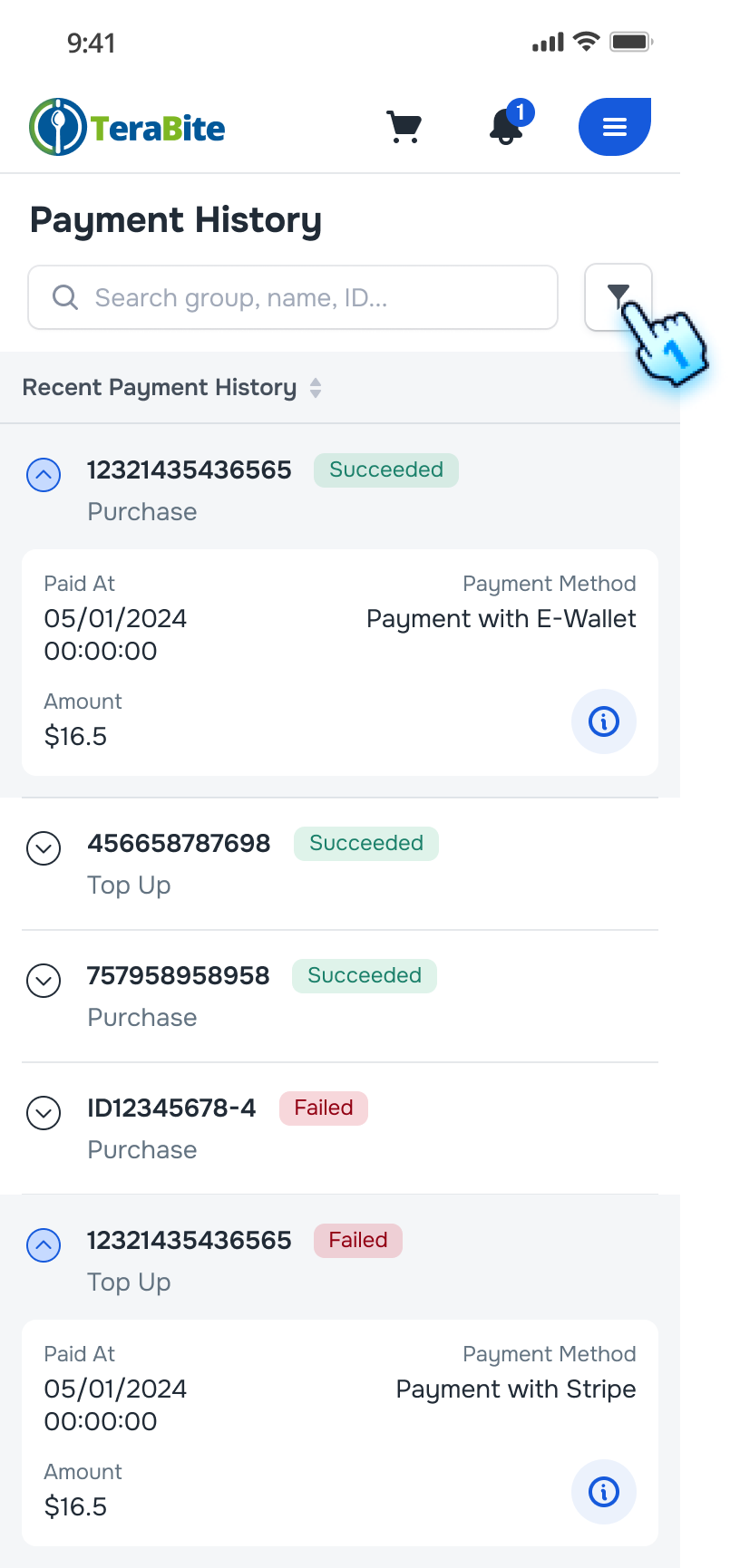
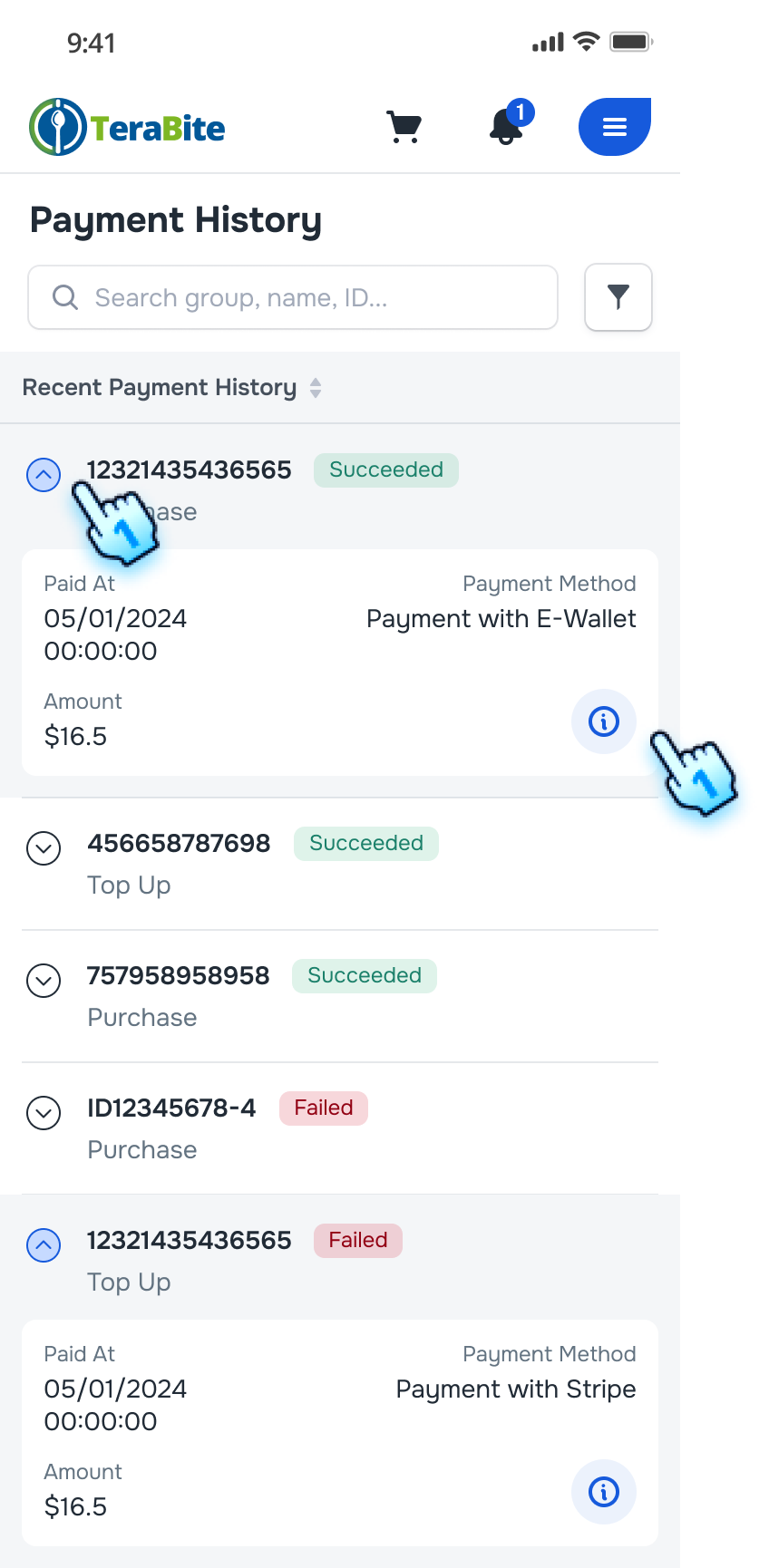
- A list of Payments will be displayed, including order ID, status, Paid at, Amount, and payment method.
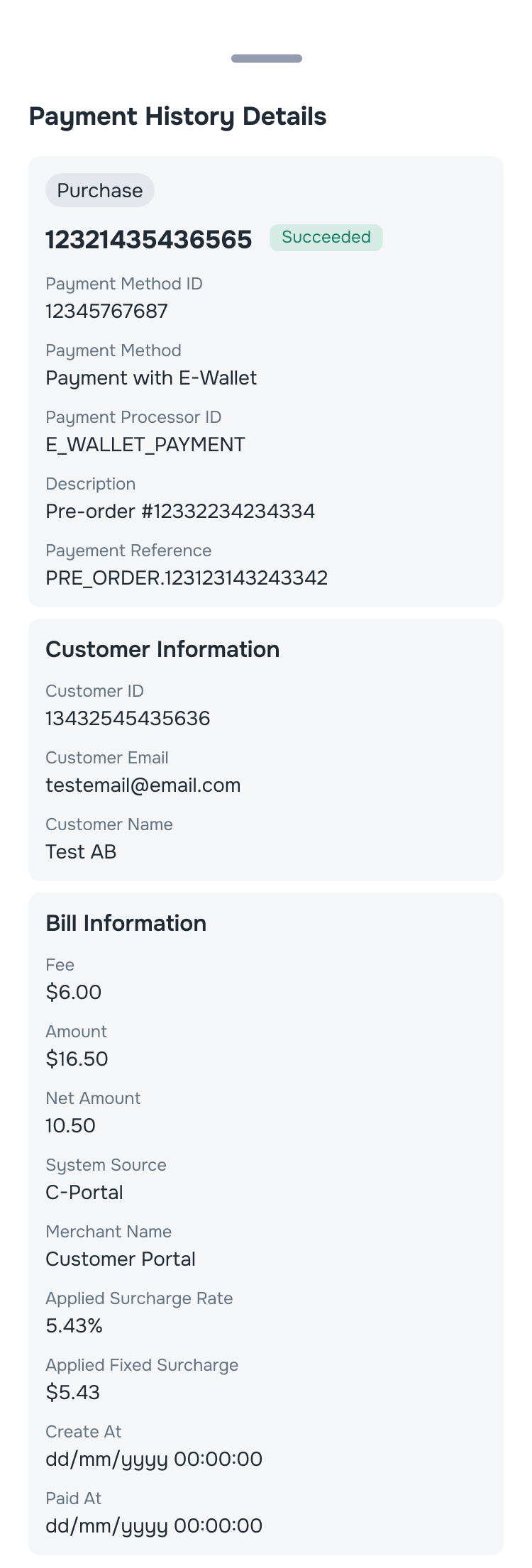
- View Payment Details
- Click the "i" button next to an order.
- The Payment details page will be displayed.
Filter Payments
- Access to Filter setting
- Click the filter button on the Payment History page.
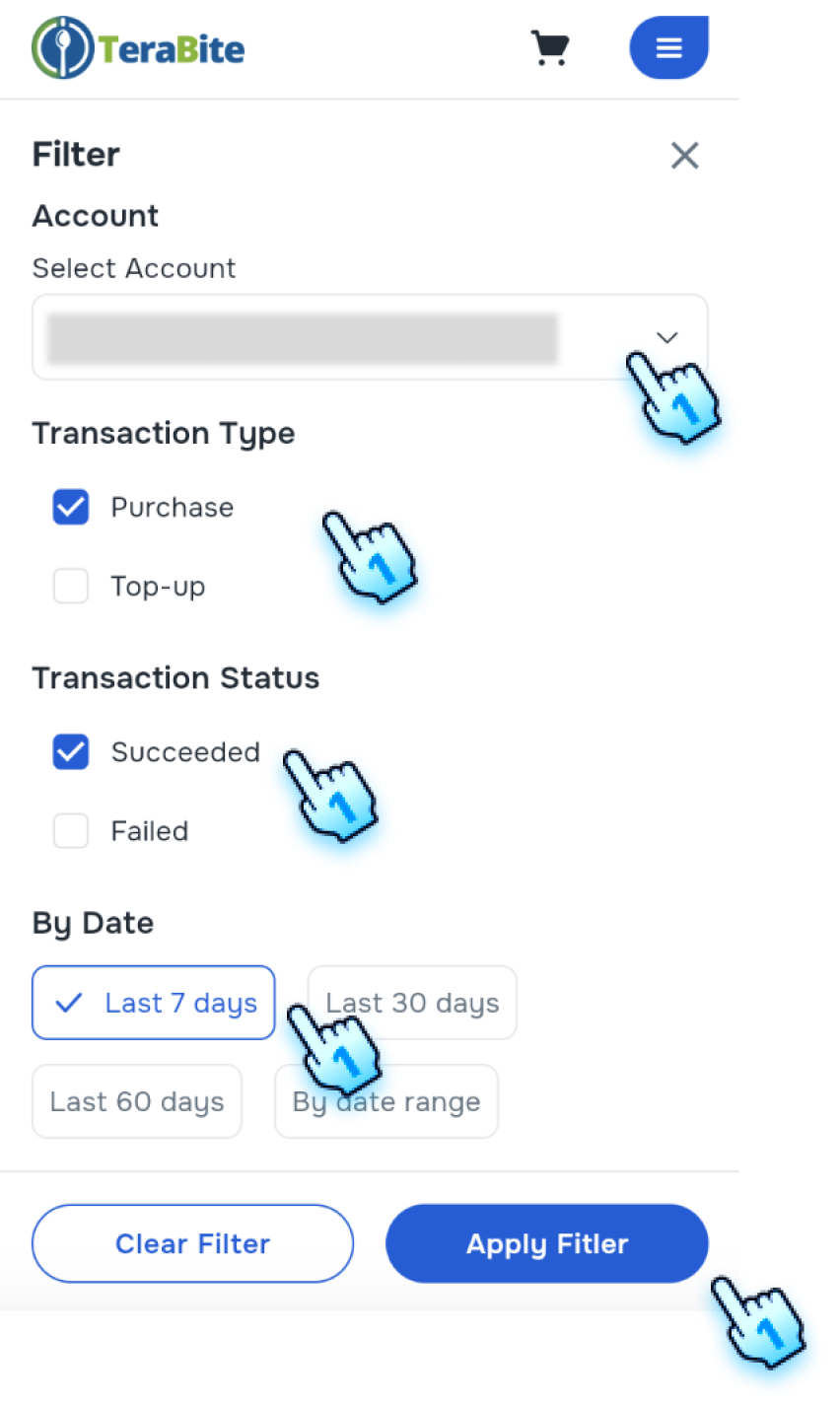
- Select Filter Criteria
- Select Transaction Type
- Select Transaction Status
- Select Date
- Apply filter
- Click "Apply Filter."
- The payment list will update to show orders according to the filter crieria.
Conclusion
The Payment History section provides a clear guide for viewing and managing past payment transaction including filter. These steps enable users to track their payment transactions.
Screen flow
View Order History
Filter Orders