Family page and account details
Description
This section outlines Family Concept account management, where members are synchronized by familyCode and displayed in a centralized Family Page.
View family directory
- Access Family Page
- Log in to the C-Portal.
- Navigate to Family Summary from dashboard or menu.
- Open the Family Page to view all members sharing the same familyCode.
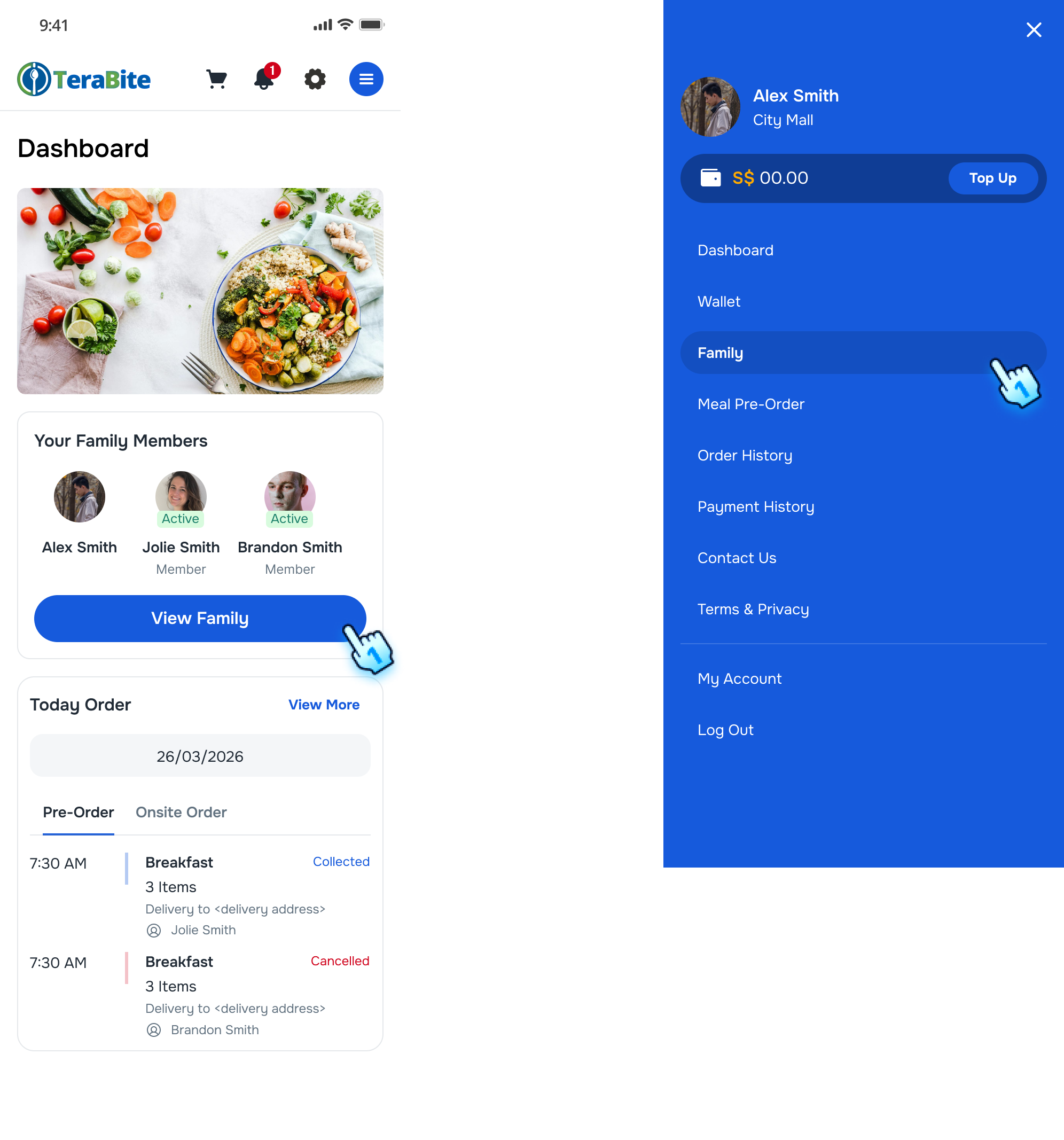
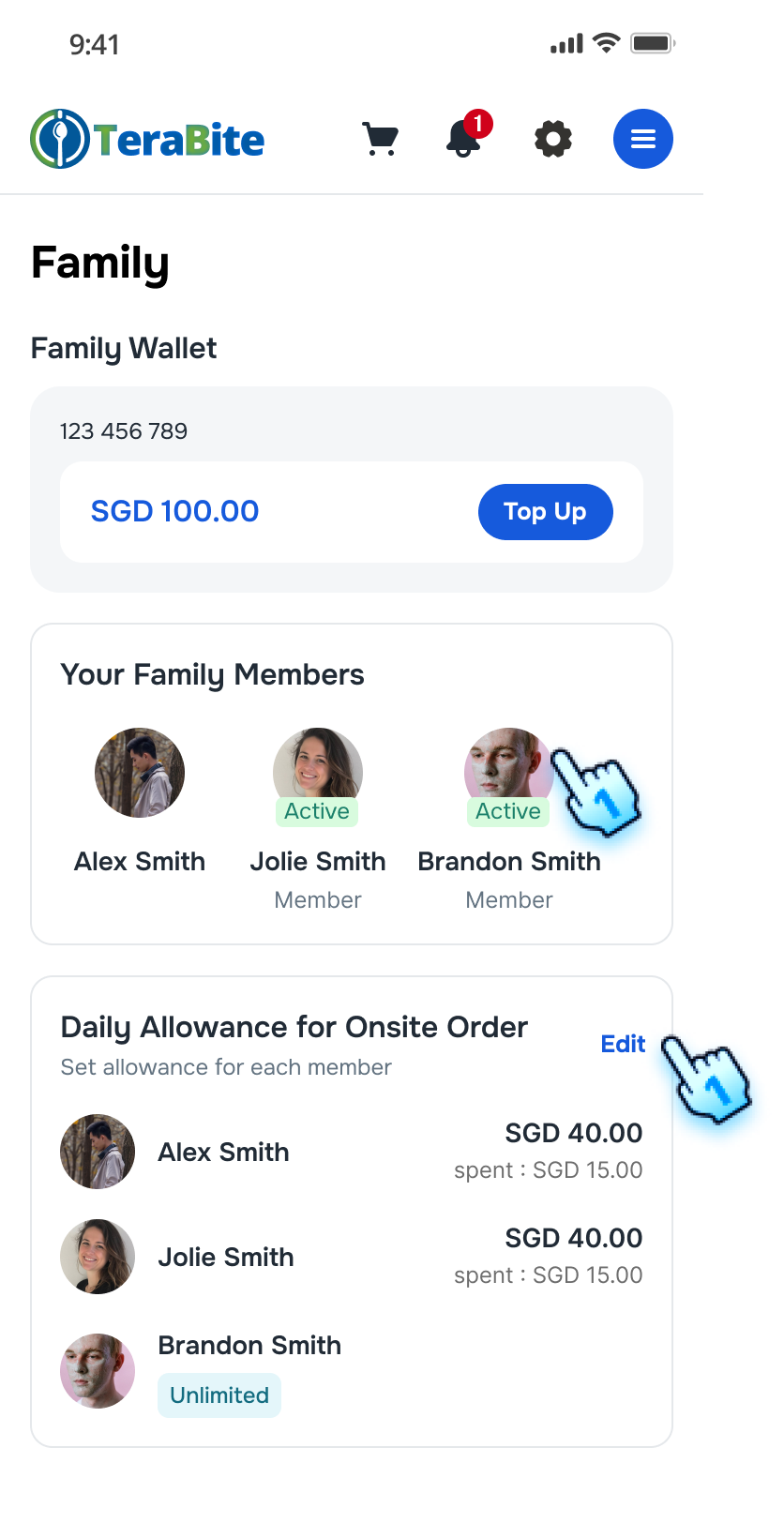
- View member profile details
- Tap on each member to navigate to their Profile. Go to Step 4.
- Daily Allowance Setting
- Tap on "Edit" to set Daily Allowance for On-site order of each member. Go to **Allowance Setting" section below.
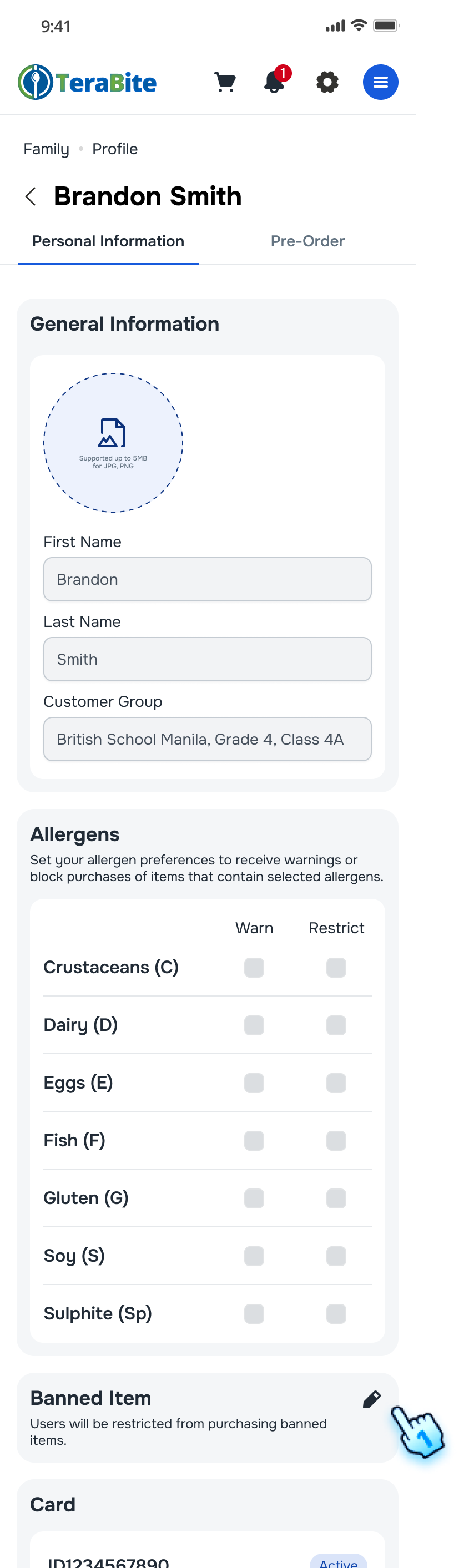
- Understand read-only fields
- First Name, Last name, Customer Group, and Allergens are read-only.
- Parents can still edit Banned Items for children.
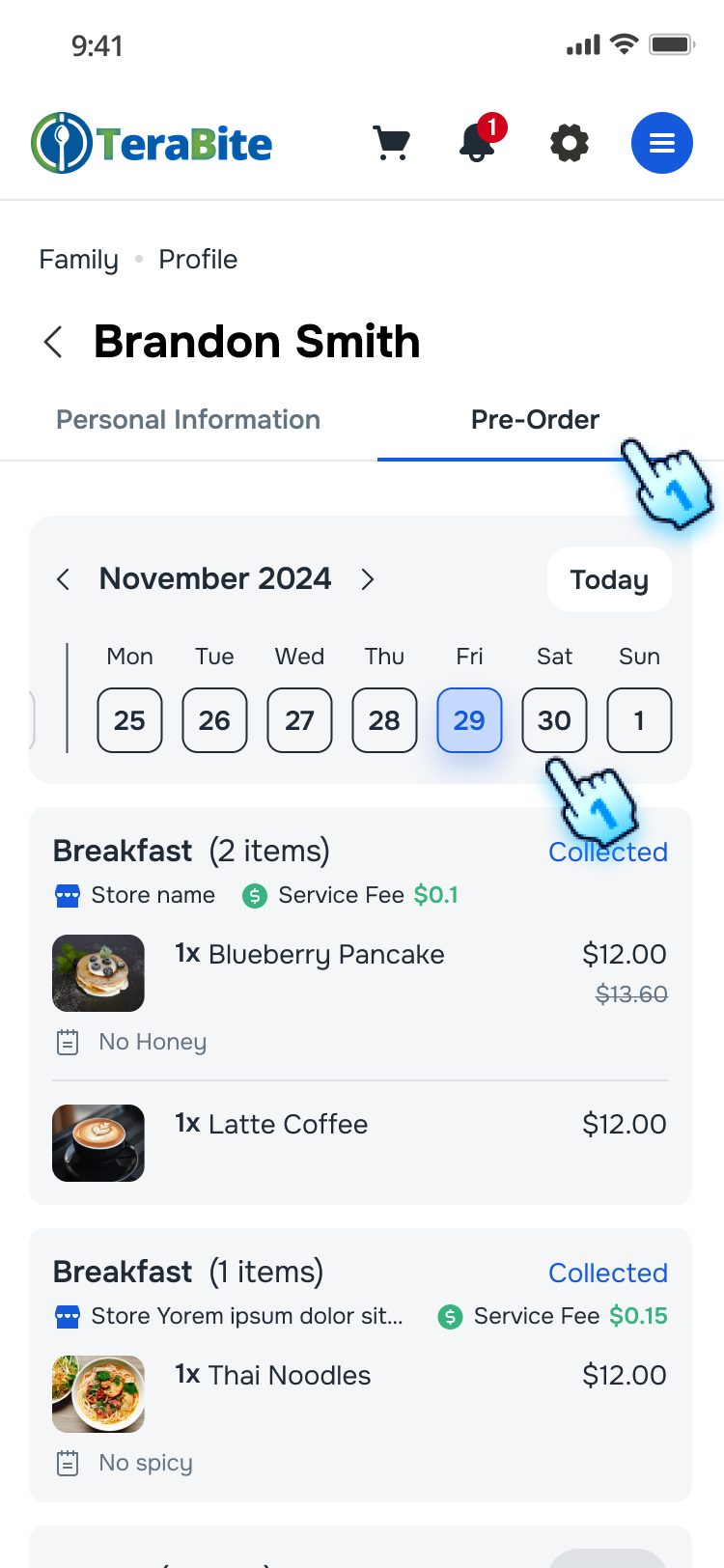
- Preview Pre-order
- Change to "Pre-Order" tab to preview all pre-orders by day
- Sellect the day to view pre-orders
- Parent/ members can view pre-orders for family members.
- Cancellation and refund routing
- Eligible order cancellations follow configured cut-off rules.
- Refund is routed to Family Wallet when available.
- Exception handling
- If no active wallet is available, user is prompted to contact operator support with Order ID.
- Exception cases are flagged for Back Office audit.
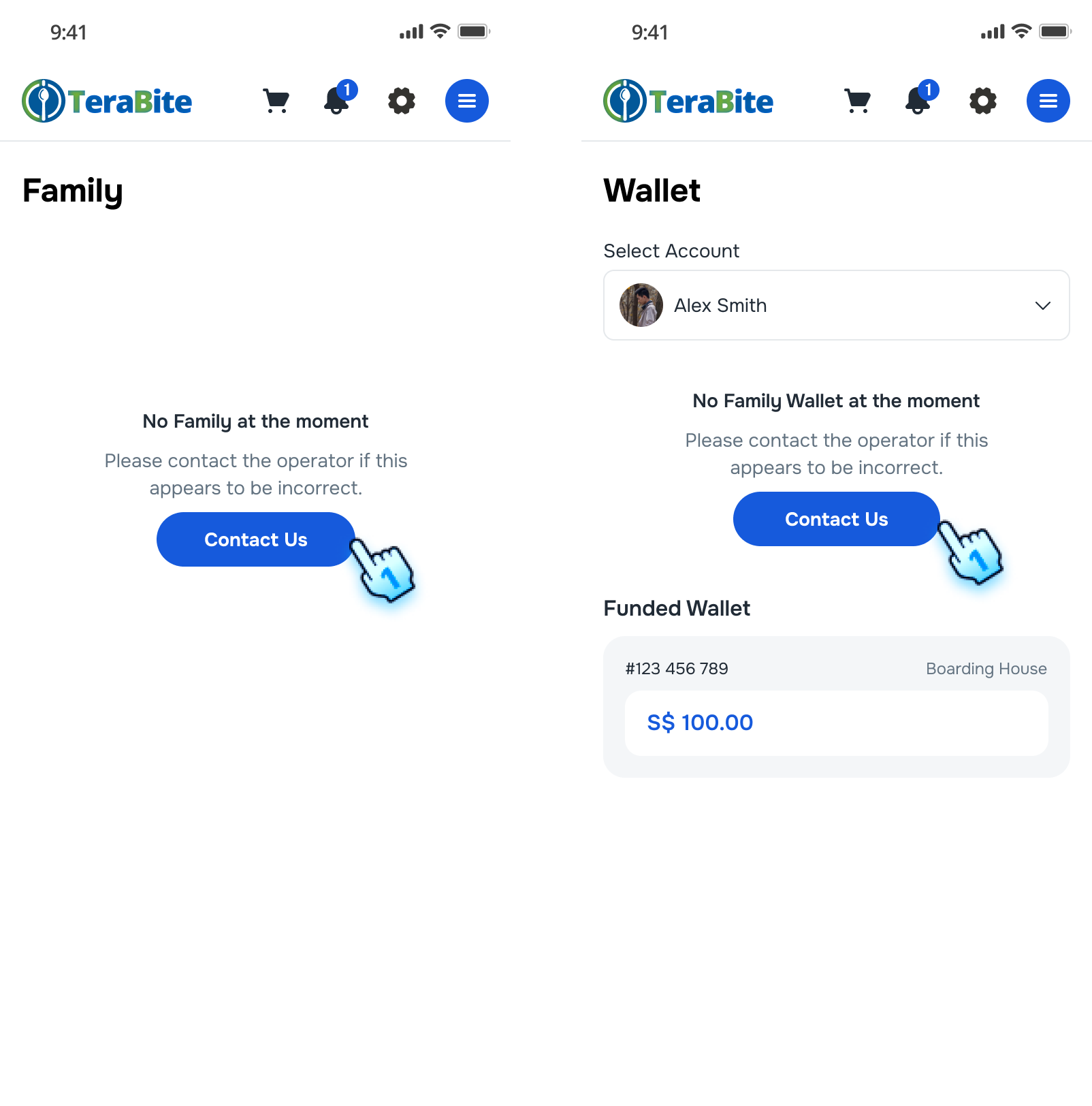

Allowance Settings
- Access to family member limit settings
- Navigate to the Family page.
- Tap on Edit button to set Allowance.
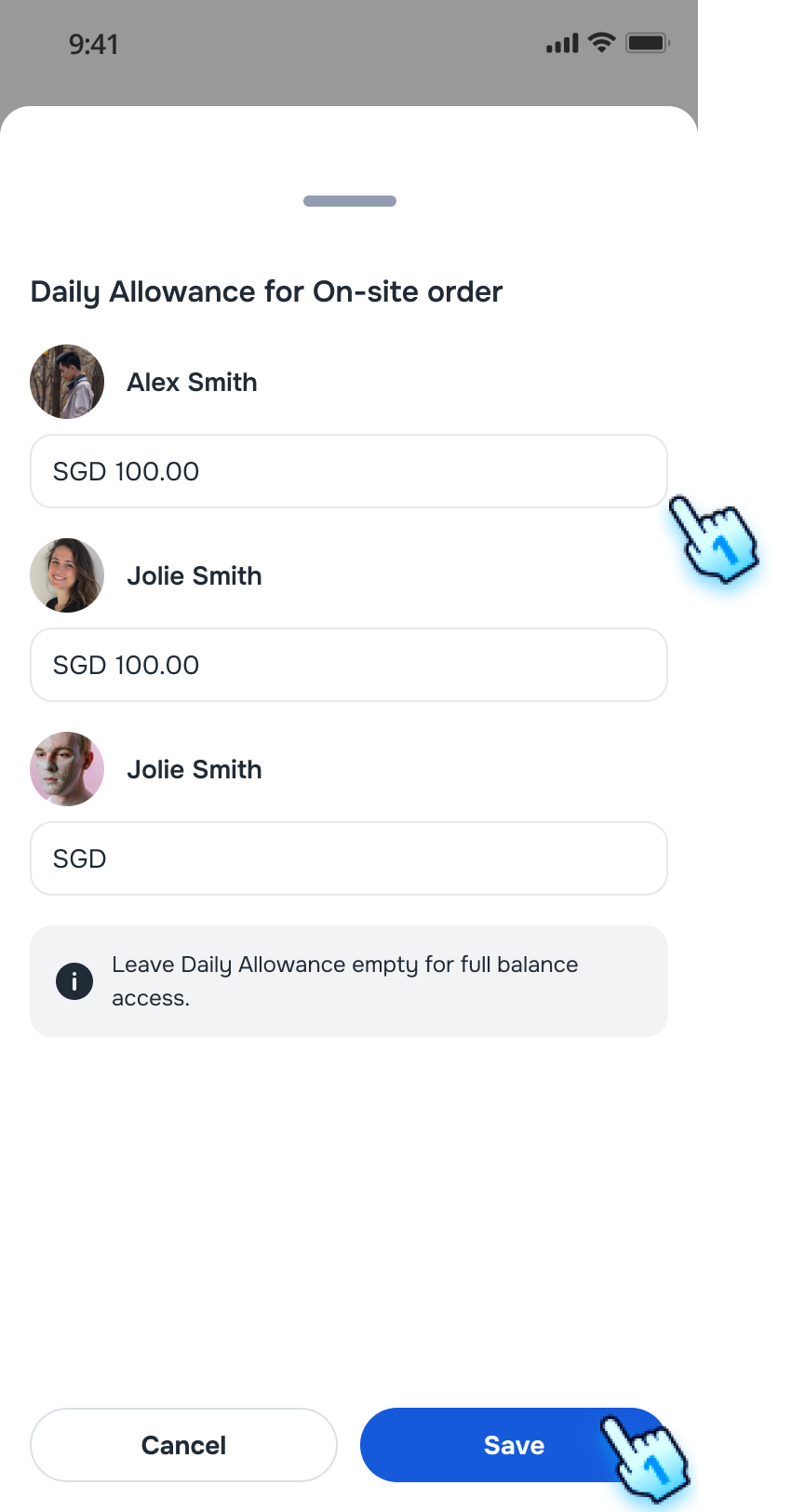
- Set Allowance Limits
- Enter daily allowance amount for each member and click "Save."
Note:
- Leave Daily Allowance empty for full balance access.
- These settings are Daily Allowances limited for On-site order only.
Manage My Account
- Access to My Account
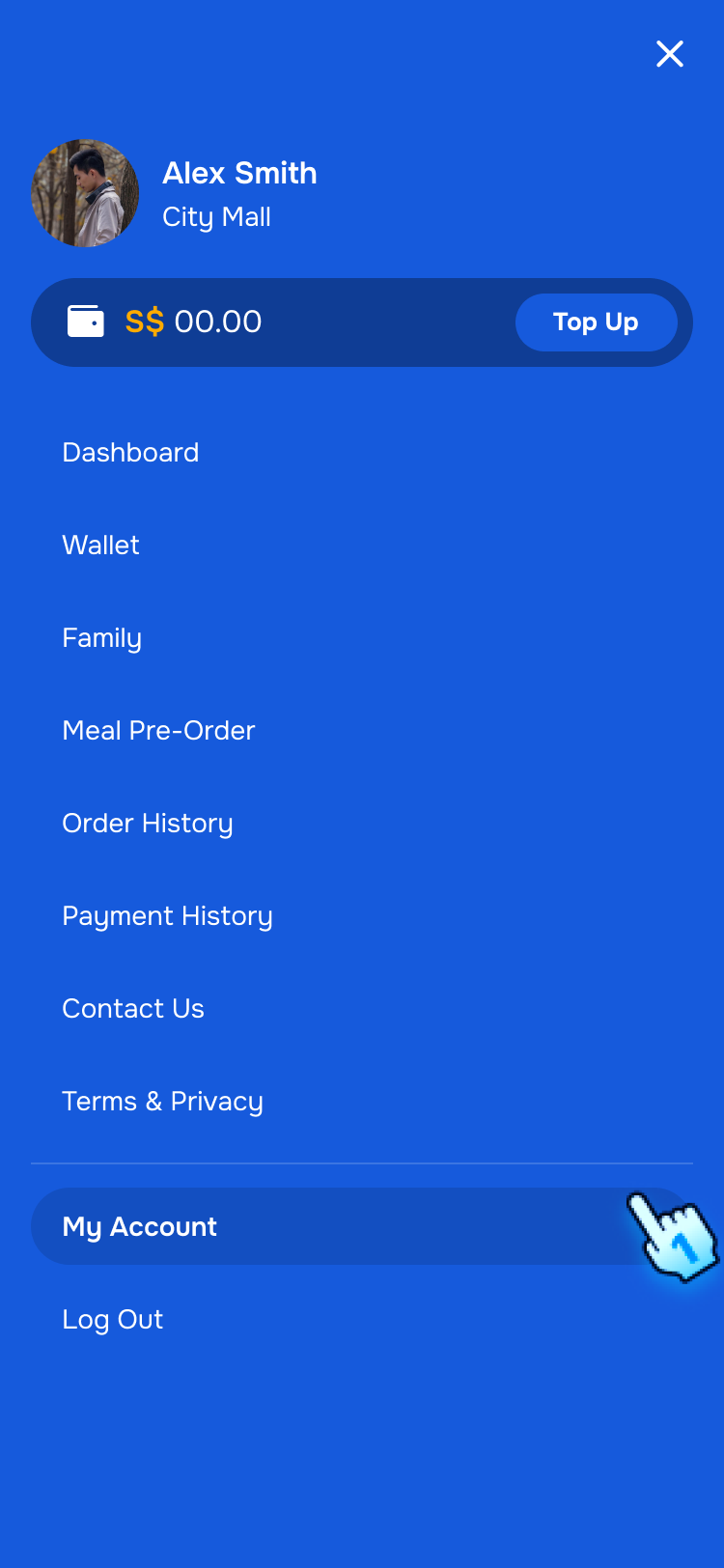
- Navigate to My Account in the Menu
- Manage My Account
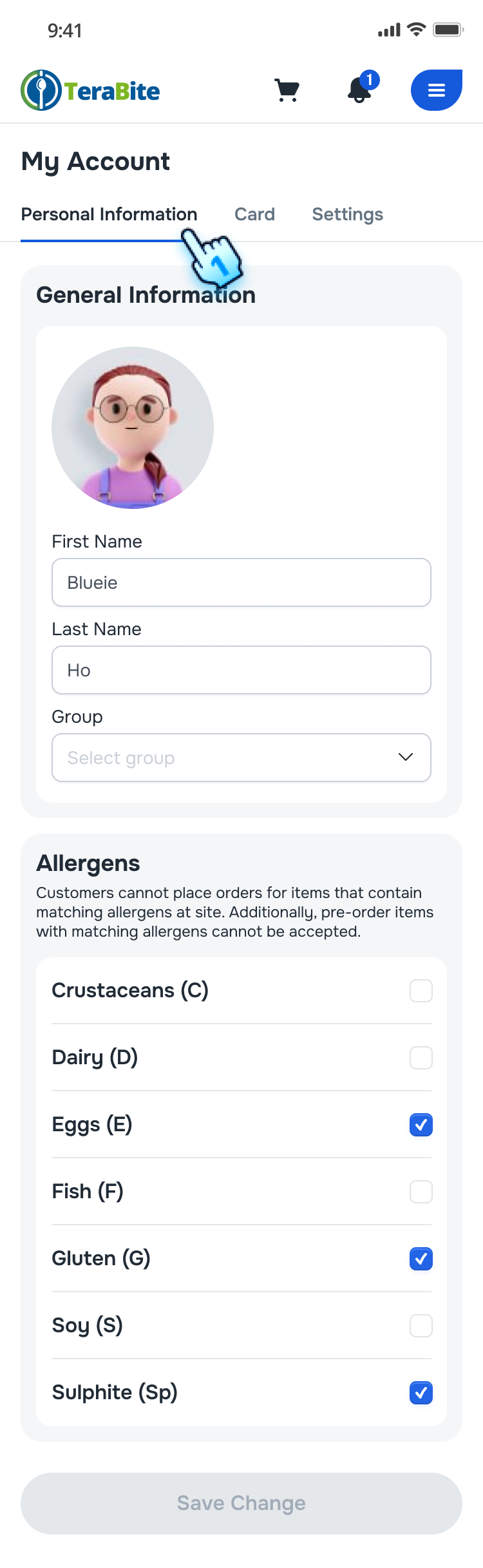
- Tap on "Personal Information" to view and edit information. Note: Refer Allergen Payment Restrictions Management and Banned Item Management section for more detail.
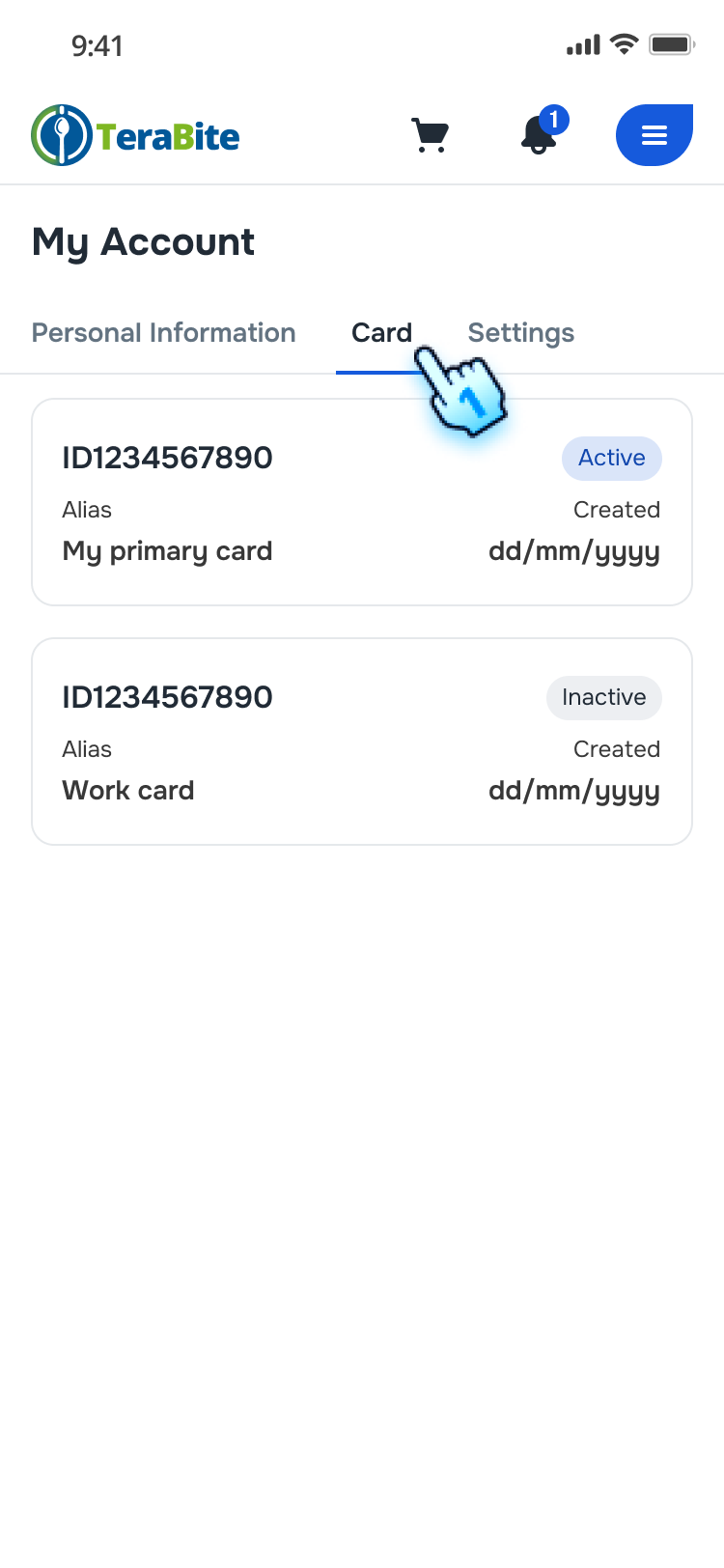
- Tap on "Card" to view the added cards to my profile.
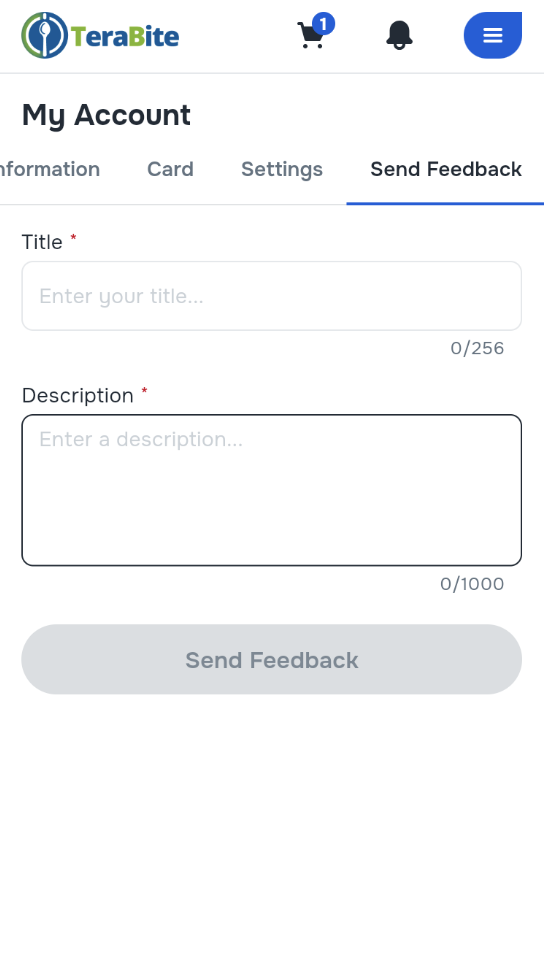
- Navigate to Send Feedback in the Menu
- Enter Title and Desciption
- Tap Send Feedback button
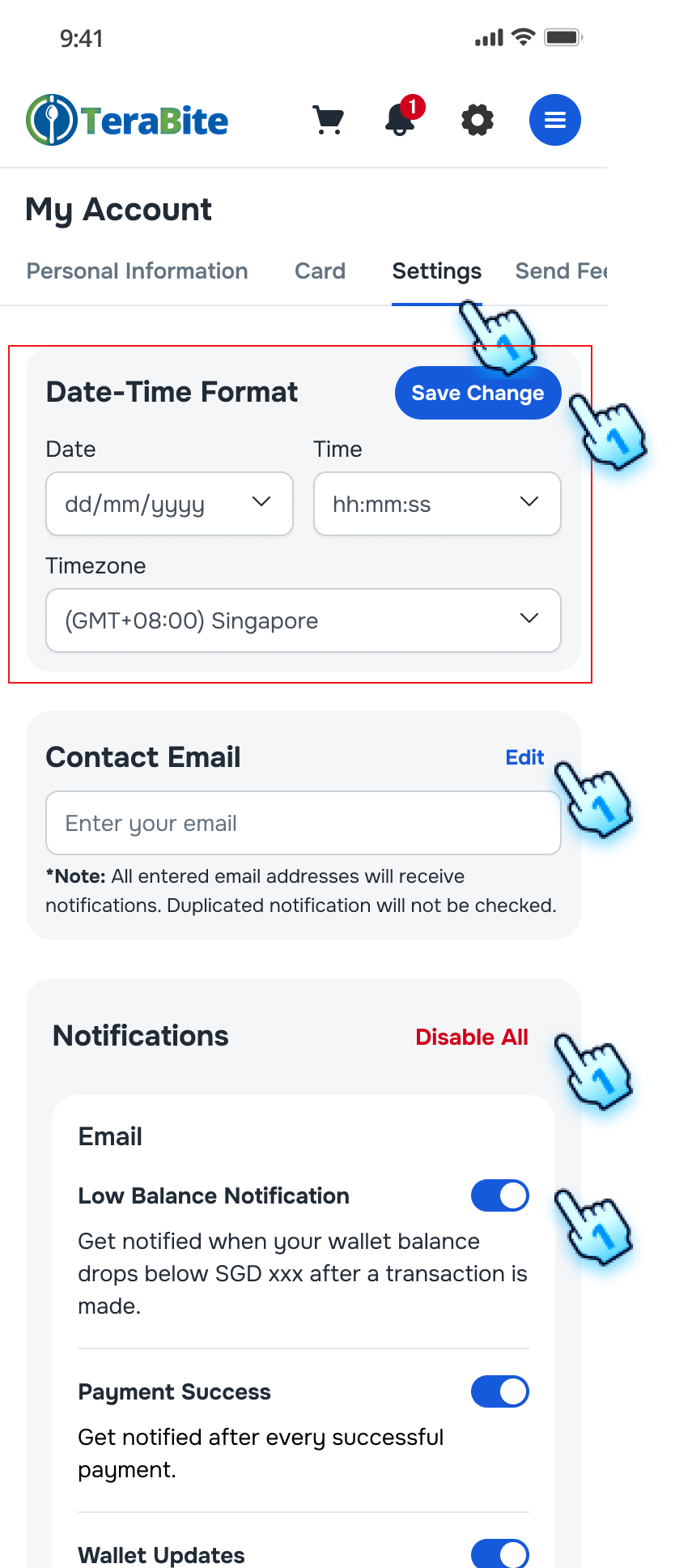
- Navigate to "Settings" to view and edit Settings for my profile. Note: Refer Settings section for more detail.
Conclusion
The Family Page centralizes member viewing under a synced familyCode model, keeps core identity fields read-only, and applies role-based access for pre-order and profile actions.