Principal Account
Description
This document outlines the procedures for managing daily quotas for linked children in the Wallet application.
Creating a Daily Quota for a Child
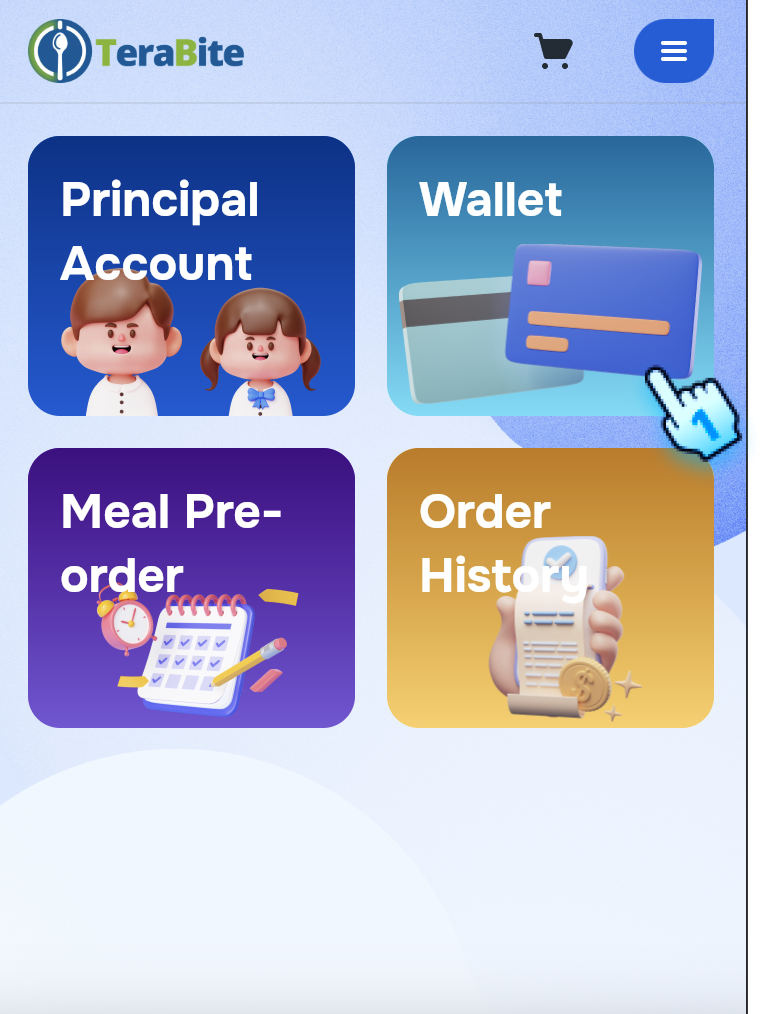
- Access to Wallet
- Open the Wallet section on the web portal.
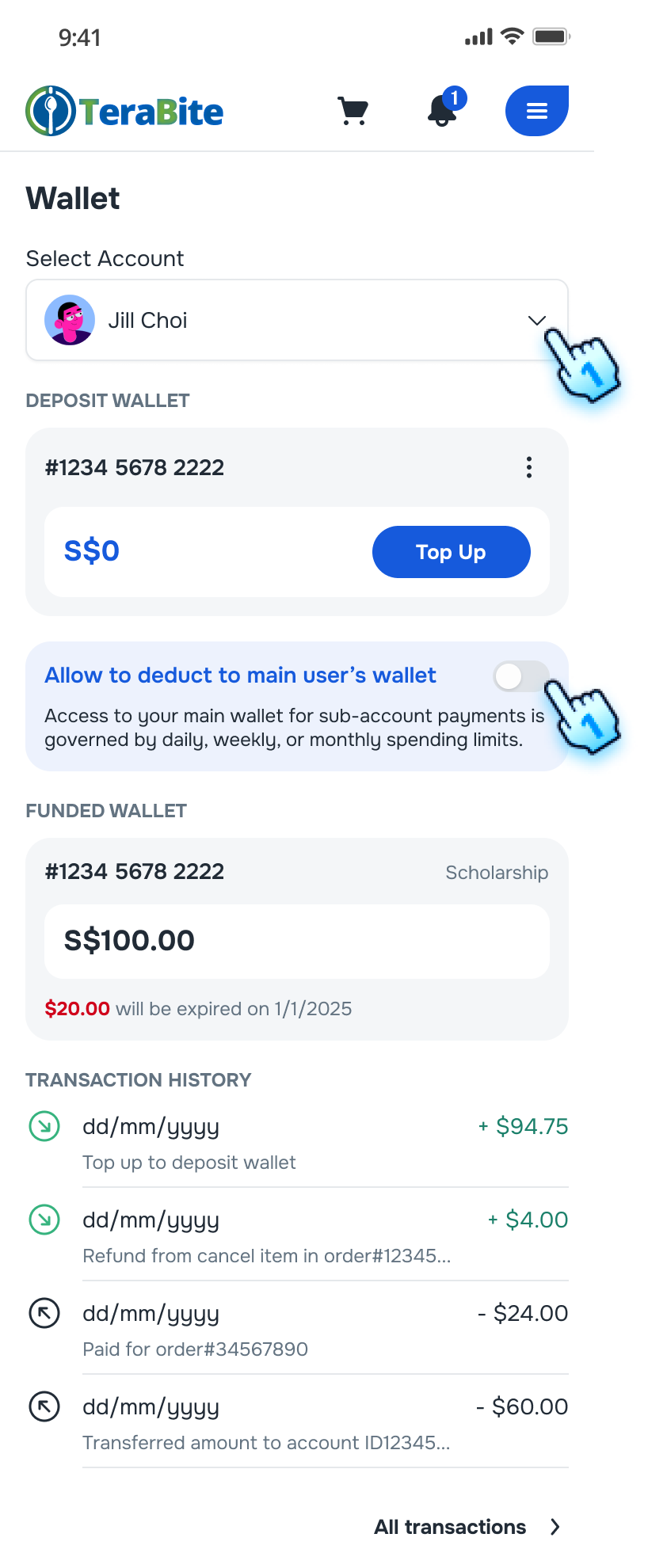
- Select child
- Select among the list of linked children to view their current daily quotas.
- Access Set Daily Quota
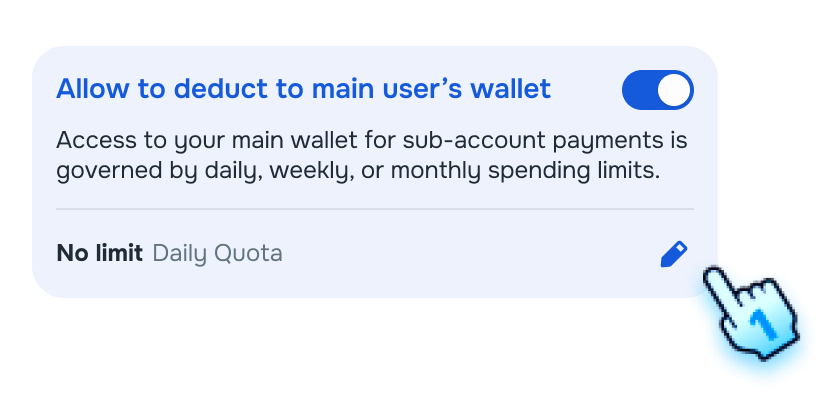
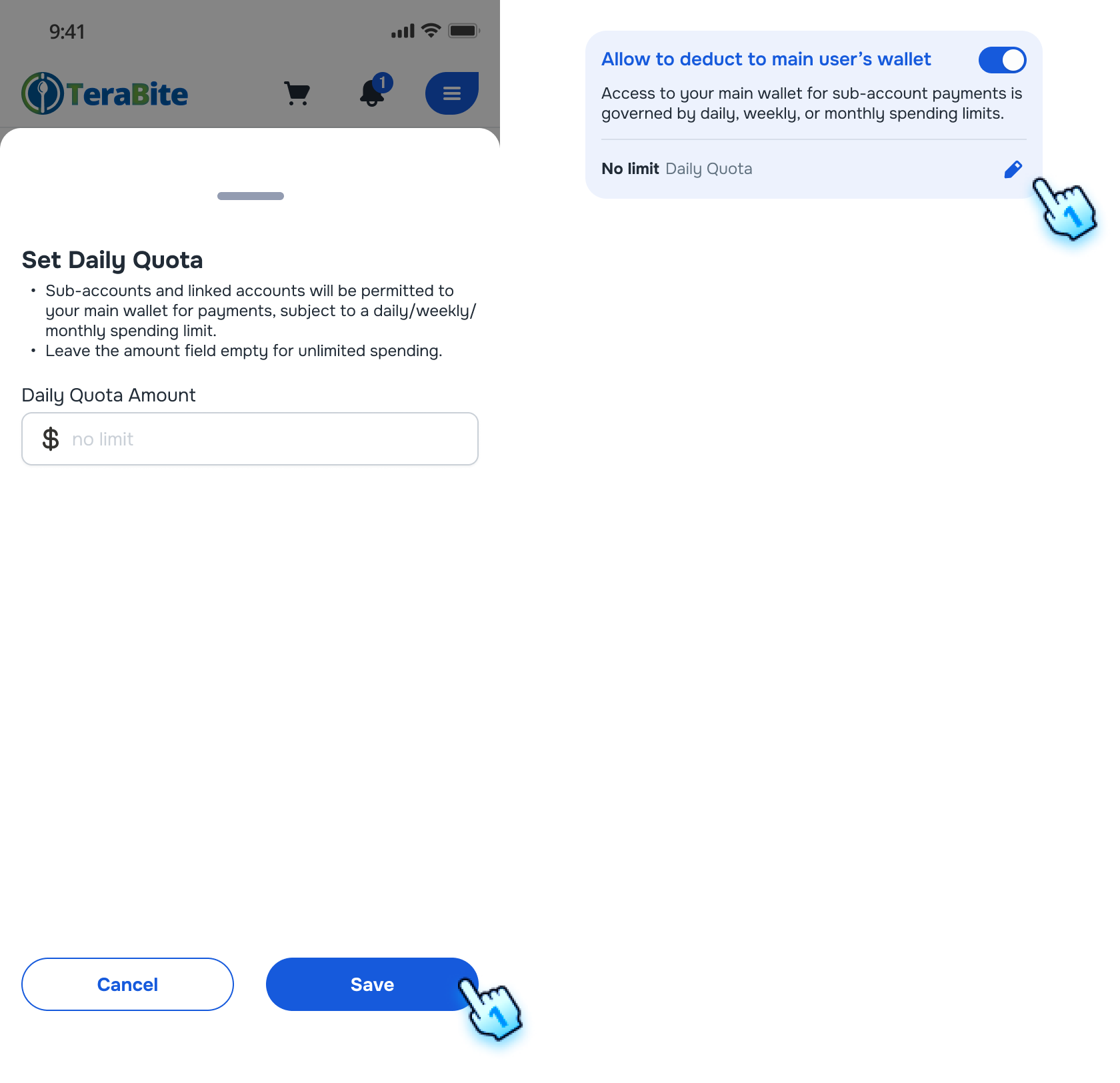
- Toggle on the "Allow to deduct to main user’s wallet "
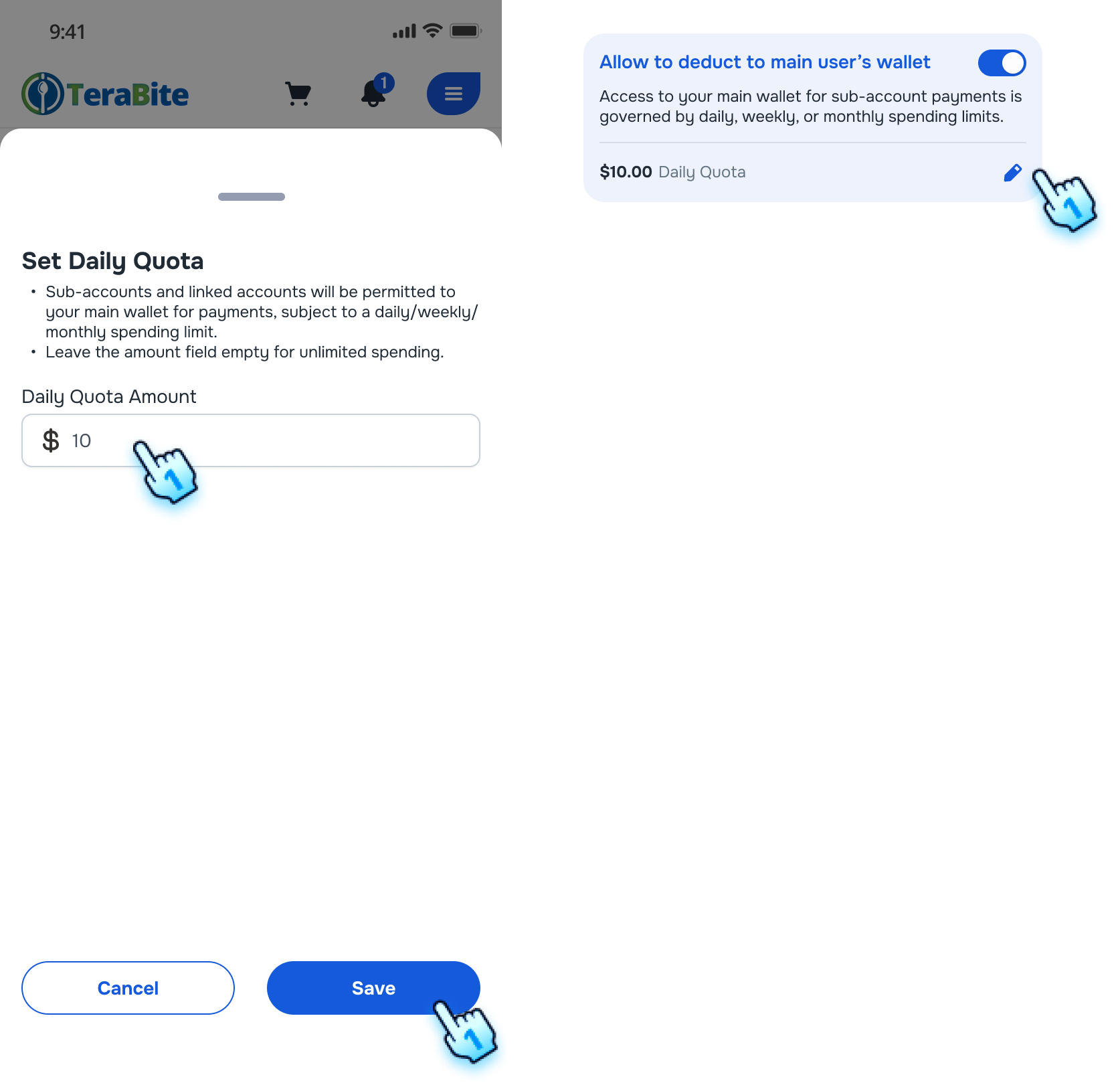
- Enter Quota Amount
- Enter the desired amount for the child in the dipslayed form. Note: Leave blank to set unlimited ammount.
- Save Changes
- Confirm your entry by saving the changes.
- Confirmation
- The input quota or "No limit" will be displayed, and subsequent transactions will reflect the limit.
Note:
- The main user's wallet deduction is applied only when the sub-user's wallet is insufficient to purchase.
- If a purchase amount is within the daily quota, the transaction will be processed successfully.
- If a purchase exceeds the remaining quota, the transaction will be blocked.
Update an Existing Quota
- Access Wallet
- Navigate to the Wallet section.
- Select Child
- Choose the child whose quota you want to increase.
- Update Quota Amount
- Tap on Edit button to open the form.
- Enter the new quota amount in the box. Note: Leave blank to set unlimited ammount.
- Save Changes
- Save the updated quota.
- Confirmation
- The updated quota will be displayed, and subsequent transactions will reflect the new limit.
Conclusion
This manual provides a comprehensive guide for managing daily quotas for linked children in the Wallet application, ensuring proper usage and compliance with spending limits.
Screen flow
Creating a Daily Quota for a Child
Update an Existing Quota